
 Omegga
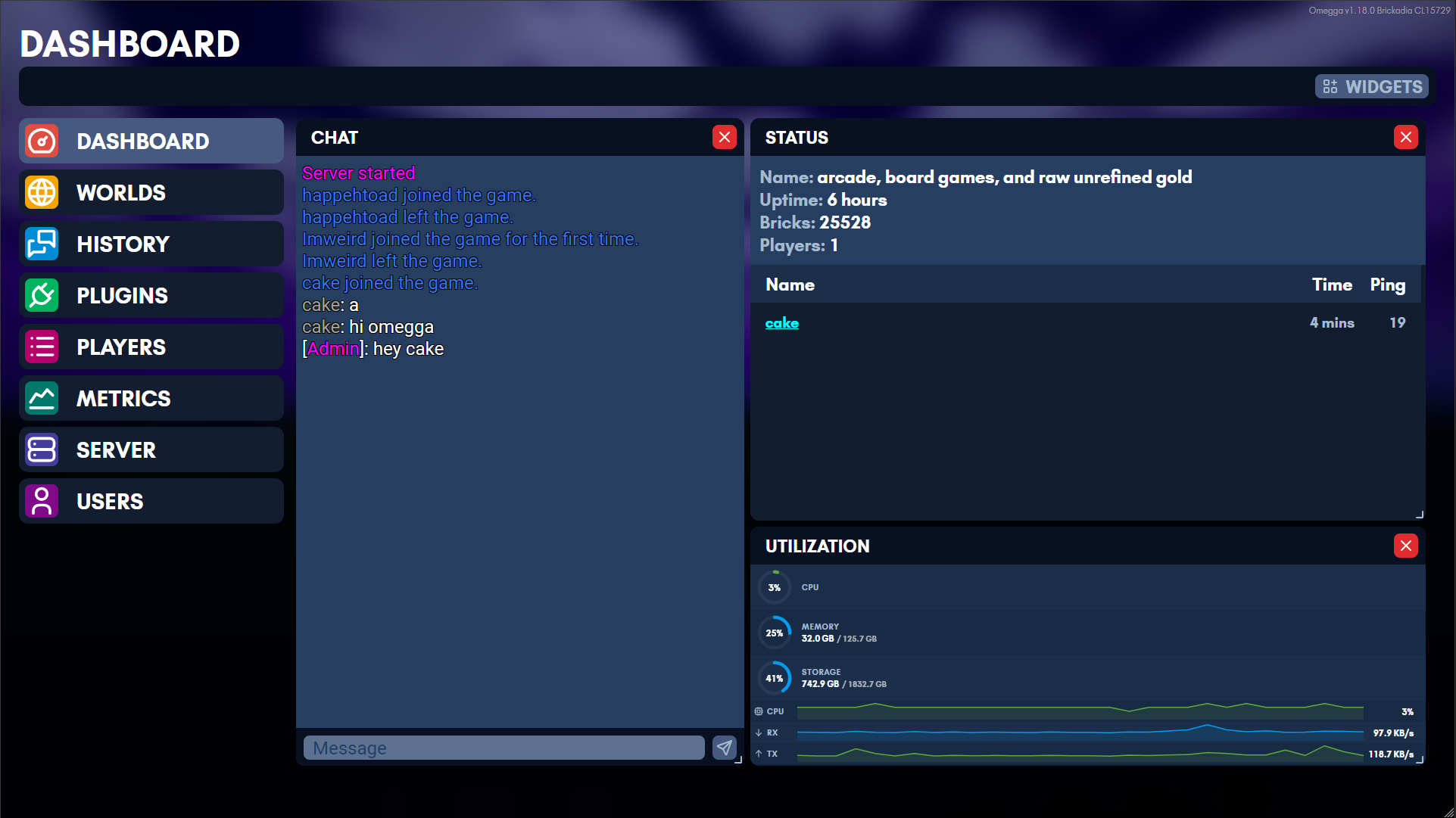
Omegga wraps Brickadia’s server console to provide interactivity and utility via plugins along with a web interface for managing your server.
Join the discord to browse plugins and get support.
Quick Install
Get Omegga on Debian, Ubuntu, Fedora, or Arch with:
curl -fsSL https://omegga.brickadia.dev/install.sh | bash
Omegga install.sh Docs | Omegga install.sh Source
Start here
| Installing | linux, WSL, a container, or Pterodactyl/Pelican |
| Running | starting a server and keeping it updated |
| Troubleshooting | when it does not start |
| Configuration | omegga-config.yml, field by field |
| Plugins | installing them, and writing your own |
| API | what a plugin can reach |
| Guides | wires, HTTPS, and running on another machine |
What omegga can do
- Automatically update/restart your server
- Manage your worlds from a web interface and load a world on startup/restart
- Chat with players while not on the server
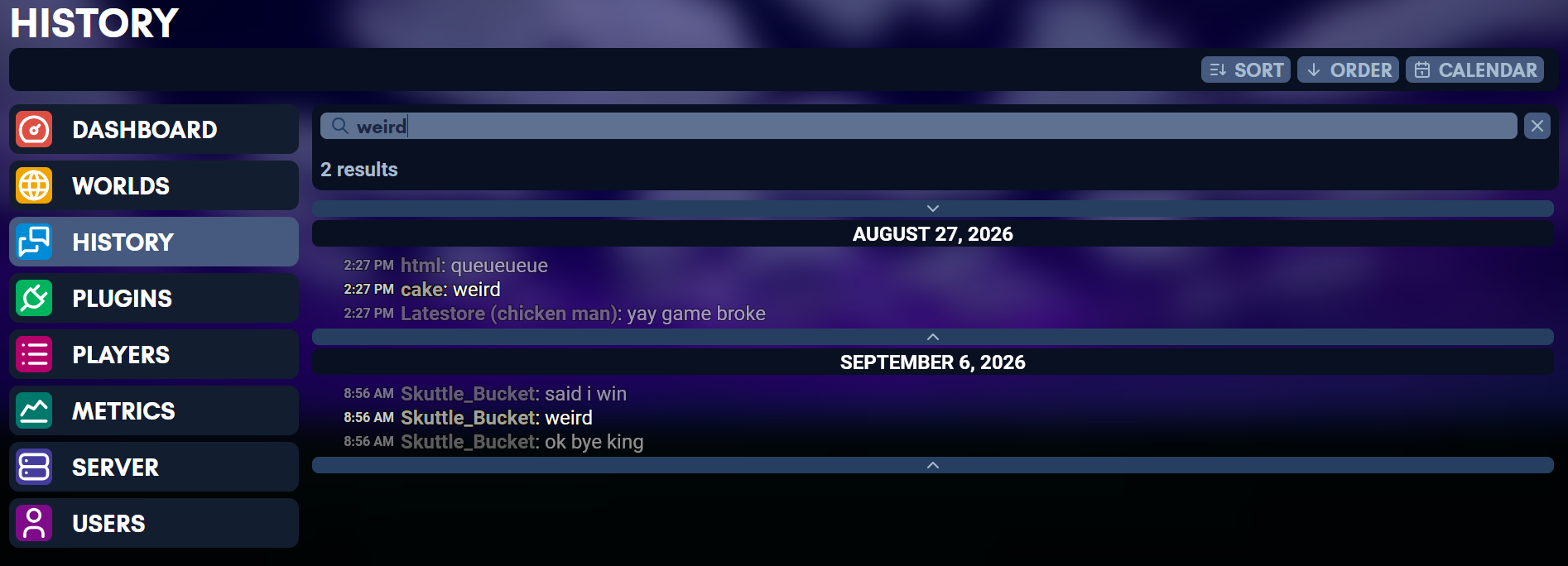
- Read chat history with timestamps
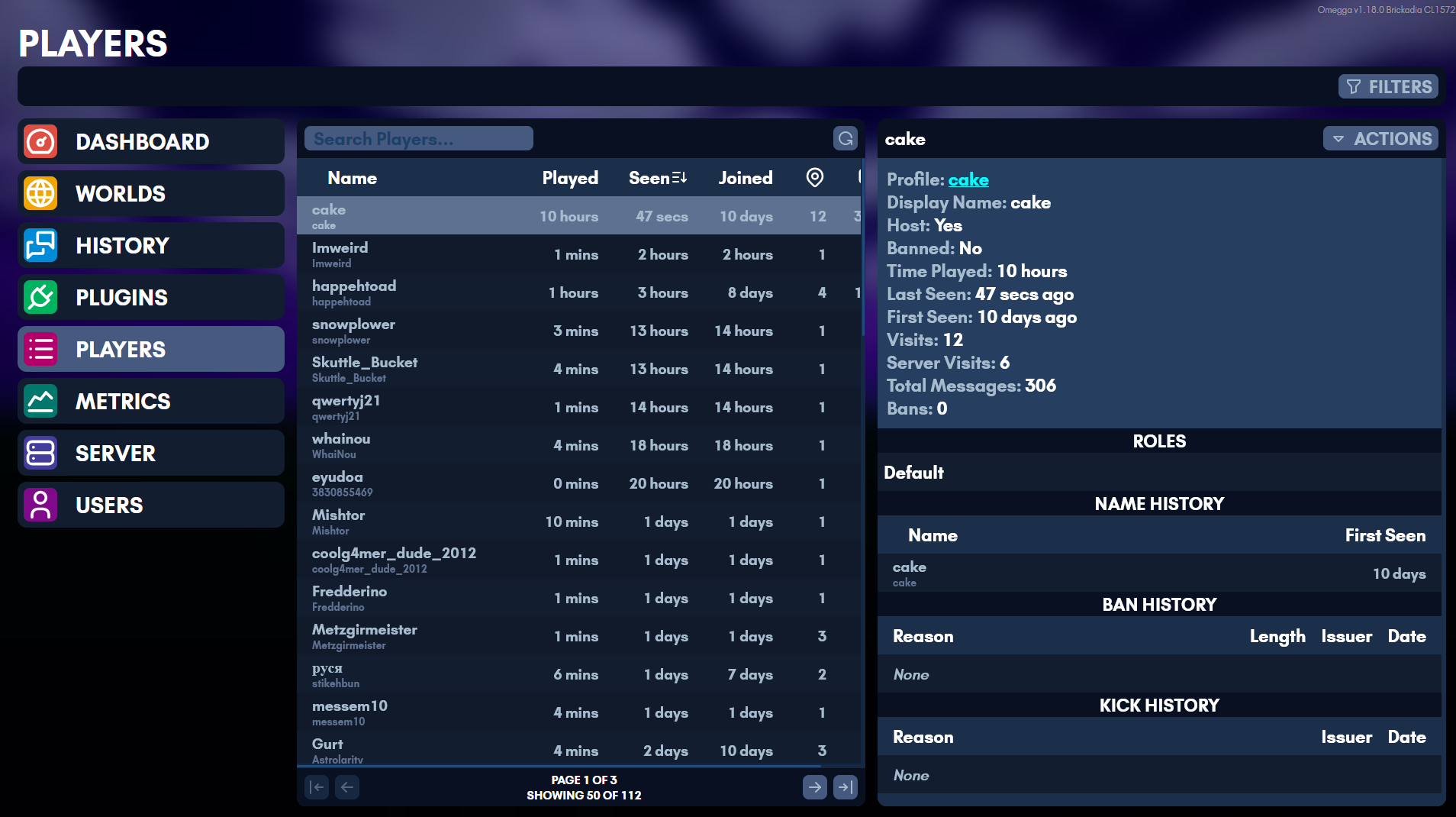
- See kick and ban history
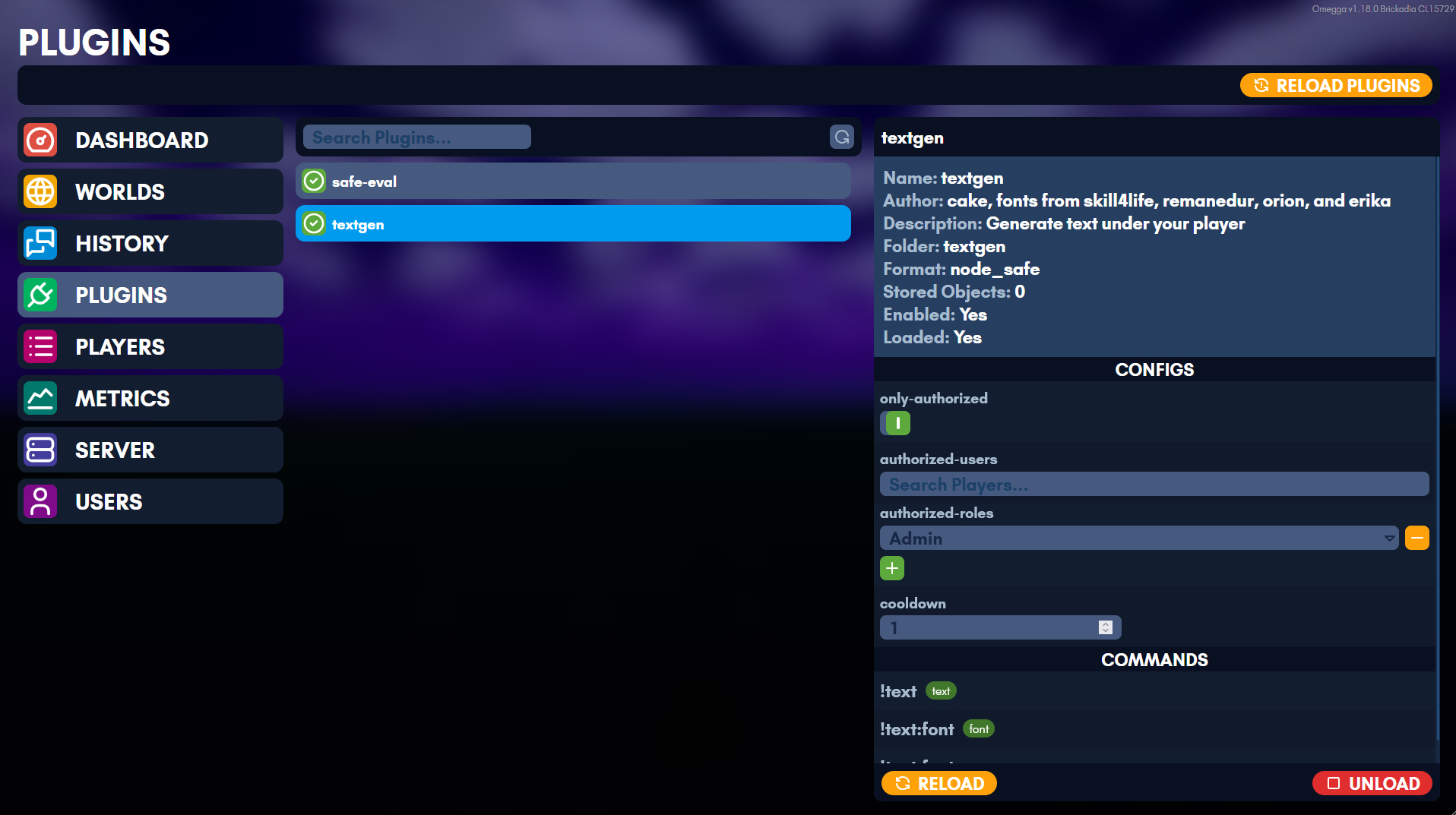
- Configure plugins from a web interface
- Manage permissions and multi-user role based access to the above features on a web ui
What plugins can do
- Interface with in-game wires and react to in-game wire events
- Add custom chat !commands and /commands
- Respond to and send chat messages
- Load bricks onto a player’s template
- Load/Clear regions of bricks, entities
- Damage/heal players
- Give/remove weapons to players
- Change the environment
- Teleport players, detect player’s positions
- Grant players roles
- Detect when a brick with an interact component is clicked
Installing Omegga
Omegga runs on linux. Pick the one that matches where you are starting from:
| Linux | a linux machine or VPS you already have a shell on |
| Windows (WSL) | Windows, through the Windows Subsystem for Linux |
| Containers | docker or podman, with node and omegga already in the image |
| Pterodactyl / Pelican | a game server panel, running the published image from an egg |
Neither the container image nor the panel needs node on the host, since both run the published image. Linux and WSL are the same install once you have a shell, so the WSL page is just the extra steps to get one.
Get Omegga on Debian, Ubuntu, Fedora, or Arch with:
curl -fsSL https://omegga.brickadia.dev/install.sh | bash
This script will ask before installing anything, and refuses to install omegga as root. Read what it does. Windows users need WSL first: this script will not run on windows, and omegga is not supported on Windows.
Do not install omegga or run brickadia/omegga as root/superuser:
- running
whoamishould NOT print “root” - your terminal prompt should NOT end with #
- you should NOT be typing
sudo npm i -g omegga - running
echo $EUIDshould NOT print “0” - if you type
pwdit should NOT print “/root” (typecdto navigate to your user’s home dir)
If any of the above are true, create a new user and continue from there.
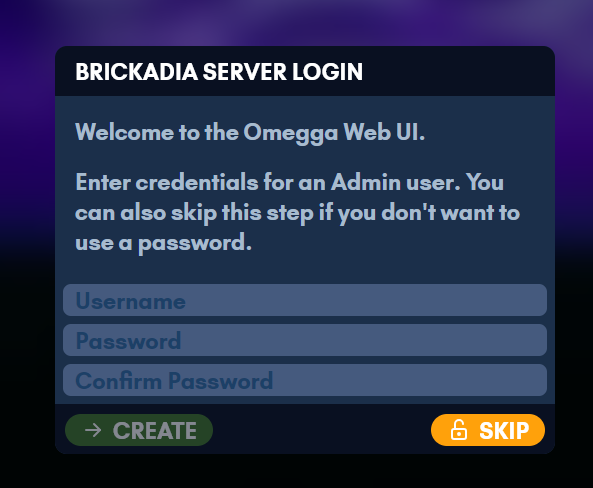
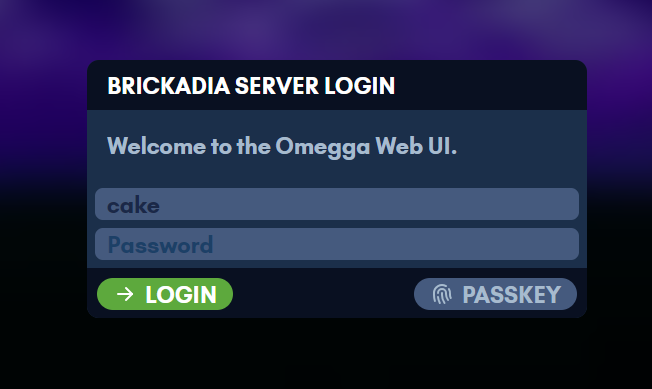
On first start omegga prints a one-time link to claim the web UI. You can set up an admin account there, or skip it and run without a password.
Once it is installed, head to Running.
Installing on Linux
Quick Setup
Get Omegga on Debian, Ubuntu, Fedora, or Arch with:
curl -fsSL https://omegga.brickadia.dev/install.sh | bash
This bash script will ask before installing anything, and refuses to install omegga as root. Read what it does. Windows users need WSL first: this script will not run on windows, and omegga is not supported on Windows.
It checks what is installed, offers to install missing dependencies, installs node through nvm, and installs omegga. Nothing is installed without asking first, and running it twice is safe. Read the source: tools/install.sh.
Flags go after -s --, because the script is stdin here:
# report what is missing and stop
curl -fsSL https://omegga.brickadia.dev/install.sh | bash -s -- --dry-run

# take the recommended answer to everything, for a container build or a panel
curl -fsSL https://omegga.brickadia.dev/install.sh | bash -s -- --yes
It knows the package names for Debian, Ubuntu, Fedora and Arch, and their derivatives. On anything else it still reports what is missing and installs node and omegga; only the package names are left to you.
Manual Quick Setup
-
Install linux if you haven’t already (Windows Install is not that bad)
-
If you type
whoamiand it says “root”, create a new user and come back. This step is usually only necessary for people using a VPS. -
Update the packages you already have, then install the ones omegga needs. Skipping the update step causes several of the errors below:
sudo apt update && sudo apt upgrade

sudo apt install curl git build-essential python3 wget tar openssl lib32gcc-s1
What each of those is for. The names differ elsewhere:
Fedora sudo dnf install curl git gcc gcc-c++ make python3 wget tar openssl glibc.i686 libgcc.i686 libstdc++.i686Arch sudo pacman -S --needed curl git base-devel python wget tar openssl lib32-gcc-libsThe 32-bit packages are for steamcmd. On Arch they come from the
multilibrepository, which ships disabled: uncomment[multilib]and theIncludeline under it in/etc/pacman.conffirst. -
Run these commands (Installs a node installer, installs node, installs omegga):
# download nvm curl -o- https://raw.githubusercontent.com/nvm-sh/nvm/v0.40.3/install.sh | bash # activate nvm . ~/.nvm/nvm.sh # install node version 24 nvm install 24 # install omegga npm i -g omegga -
Head over to Running Omegga or troubleshoot below. To run it in a container instead of installing it, see Containers.
Install Troubleshooting
If you are having issues running omegga, see Troubleshooting for a potential fix. This section is for issues with installing.
-
If you are on Ubuntu and the output of
which npmis/bin/npmsudo apt purge nodejs # uninstall old version of nodejs # restart install instructions from this point nvm install 24 # install node version 24 via nvm -
If you get an error like “
sh: 28: cd: can't cd to .”, you need to be inbash(and probably typecdto navigate out of root directory):bash # use bash instead of sh cd # navigate home -
If you get an error like “
gyp info find Python using Python version 3.8.10 found at /usr/bin/python3” you need to install python3:sudo apt install python3 npm i -g omegga -
If you get an error like “
gyp ERR! stack Error: not found: make” you need to install build-essential:sudo apt update && sudo apt upgrade # refresh the package index first sudo apt install build-essential # install make npm i -g omegga # re-run omegga install -
If you get an error like “
Unable to fetch some archives, maybe run apt-get update” you need to run this before running your original command:sudo apt update && sudo apt upgrade -
If you are having trouble installing with nvm and are running Ubuntu/Debian, run the following commands (installs node, installs omegga) instead or install node&npm from NodeSource Binary Distributions.
curl -fsSL https://deb.nodesource.com/setup_24.x | sudo -E bash -
sudo apt-get install -y nodejs
npm i -g omegga
Manual Setup (you install stuff)
Omegga depends on:
- linux
- Windows Install (WSL 1 or WSL 2)
- Node v23+ (ubuntu/deb, but
nvmfrom Quick Setup is better) - One of:
tar(most linuxes come with this, though you cansudo apt install tar)- Brickadia linux launcher
Packages
sudo apt install curl git build-essential python3 wget tar openssl lib32gcc-s1
covers all of these on Debian and Ubuntu.
| Package | Needed for |
|---|---|
curl | downloading the nvm install script |
build-essential, python3 | node-gyp, which builds omegga’s native modules on install |
wget, tar | downloading and extracting steamcmd |
lib32gcc-s1 | steamcmd itself, which is a 32-bit binary |
git | optional. plugin will install/update with a JS git when absent |
openssl | the web UI’s https certificate. Without it the web UI falls back to http |
SteamCMD is not on that list: omegga asks to install it on the first start, into
~/.config/omegga/steam, or uses one already on PATH.
Omegga is installed as a global npm package
npm i -g omegga
Alternatively, you can use a development/local omegga.
# clone omegga
git clone https://github.com/brickadia-community/omegga.git && cd omegga

# install dependencies
npm i

# point development omegga to global npm bin
npm link

# build the web ui, build omegga's typescript, and the plugin omegga.d.ts
npm run dist
If you accidentally install both from Github and npm i -g omegga, you can run npm unlink omegga to stop npm from using the git one.
Any errors, see Troubleshooting for a potential fix.
Creating a New User
If you are running as root (terminal prompt ends with ‘#’ instead of ‘$’ or running whoami says “root”), create a new user.
The following commands will create a user named brickadia. Feel free to replace it to user or your own name.
# create the user
useradd -m brickadia
# set the new user's password
passwd brickadia
# allow "sudo apt install ...." to work in this user
usermod -aG sudo brickadia

# become this user, navigate to user's home, and run bash
su brickadia -c "cd && bash"

# if you were root, you would be in /root (root's home) instead of /home/brickadia
# this fixes some issues when installing omegga on a VPS
Installing on Windows (WSL)
These are simple instructions to get Windows Subsystem for Linux installed. Once you have a shell in it, follow Installing on Linux.
Note: WSL 2 at the moment requires the wsl2binds plugin. You can install it with omegga install gh:meshiest/wsl2binds
To enable WSL, run this in powershell as an administrator:
dism.exe /online /enable-feature /featurename:Microsoft-Windows-Subsystem-Linux /all /norestart
Then in the Microsoft Store, download a linux:
More Advanced Instructions here if the above is not sufficient.
To set WSL version from 2 to 1:
- Check WSL version with
wsl -l -vin cmd - In Administrator cmd, run
wsl --set-version <distribution name> 1where<distribution name>isUbuntu,Debian, etc. (From the NAME section of the previous command)
WSL2 Networking
WSL2 has its own network, so the game server is not reachable from outside the
machine without forwarding. The wsl2binds plugin forwards UDP traffic for you
and prints the netsh command to run for the web UI:
omegga install gh:meshiest/wsl2binds
EACCES on npm i -g omegga
Under WSL 1 the global install sometimes fails with EACCES. Try
the npm fix
first. Failing that, switch to WSL 2, run npm i -g omegga there, and switch
back to WSL 1 if that is where you want to run.
Running
It’s recommend to create a folder first before starting your server:
# change "myServer" to "brickadia" or "server" or whatever you want
mkdir myServer && cd myServer

# this will place a folder called "myServer" in your home (cd ~)
To start a server, simply type the following in a linux shell after install:
omegga
Omegga will prompt for credentials as necessary and only stores the auth tokens brickadia generates on login. Omegga does not store your password.
The first start downloads Brickadia through SteamCMD. Omegga uses a steamcmd
already on PATH, or asks before installing its own into
~/.config/omegga/steam. Installing one yourself first is optional. Anything
that cannot answer that prompt, like a service manager or a game panel, should
set SKIP_STEAMCMD_PROMPT=true to agree in advance.
Omegga runs in the current working directory. To have it always use the same
folder regardless of where you start it, run omegga config default $(pwd).
Once it is up, the web UI is at https://127.0.0.1:8080 unless you changed
omegga.port. See Configuration for what else the server reads on
startup.
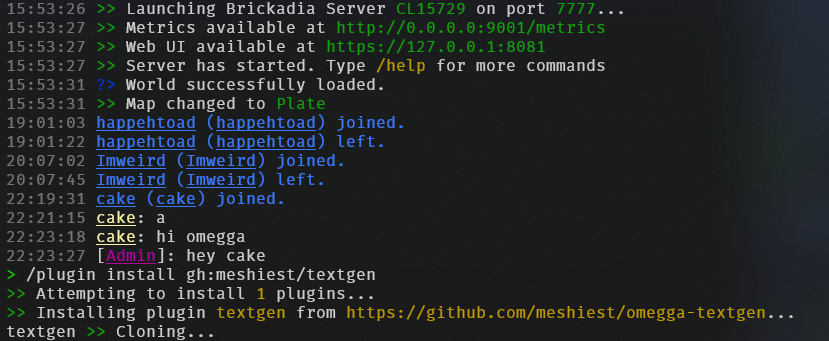
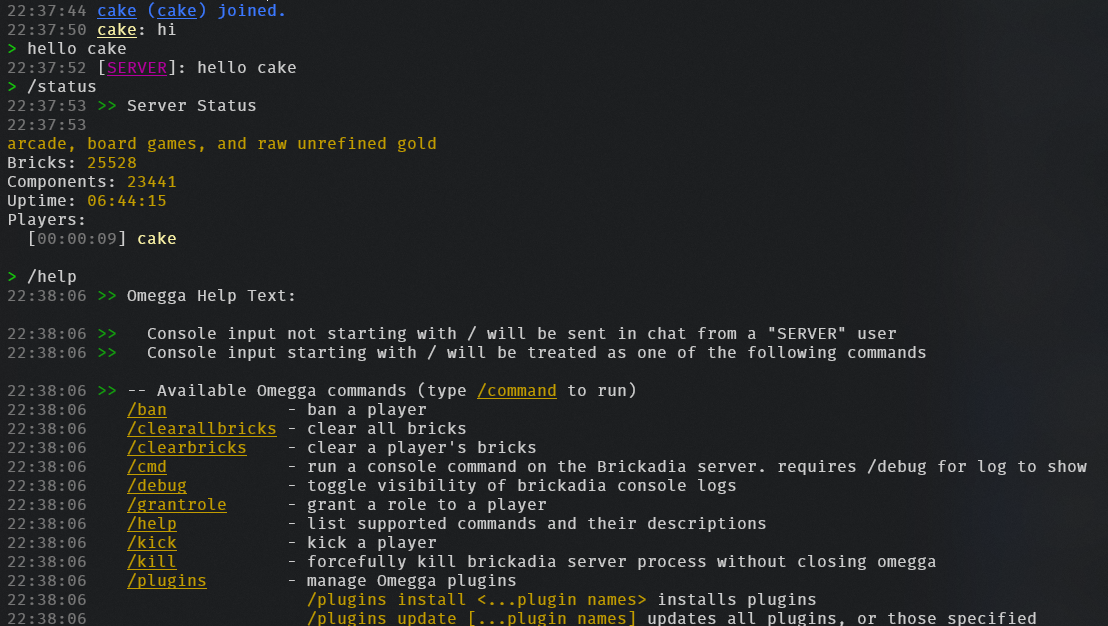
The console takes the same commands players type, plus omegga’s own. /help
lists them, and plugins add their own to it.
Log files
Everything the console prints is also written to data/logs, one file per day,
so a crash that scrolled off screen is still readable afterwards:
data/logs/omegga-2026-09-16.log
data/logs/omegga-2026-09-16.1.log
A day that passes logs.maxSizeMB (32MB) rolls to the numbered parts, and files
older than logs.keepDays (7) are deleted at startup and at each midnight. The
colors are stripped, so the files are plain text and grep works on them.
These hold omegga’s own output: startup, plugins, chat, joins and leaves, kicks
and bans. Brickadia writes its own log separately, under data/Saved/Logs.
Starting with --debug puts that output here as well, which makes the files
very much larger.
See Configuration for how to tune or disable this.
Worlds
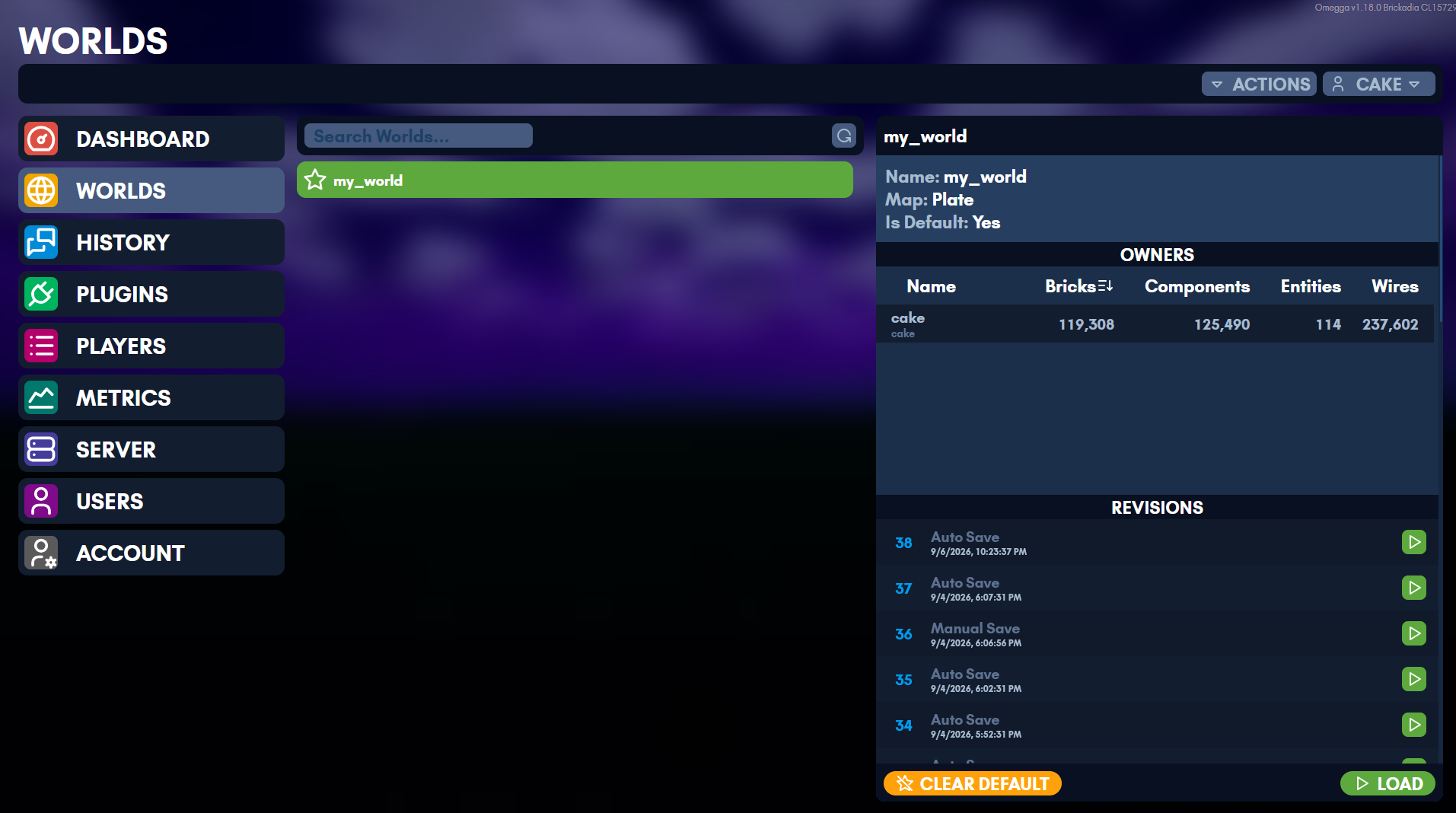
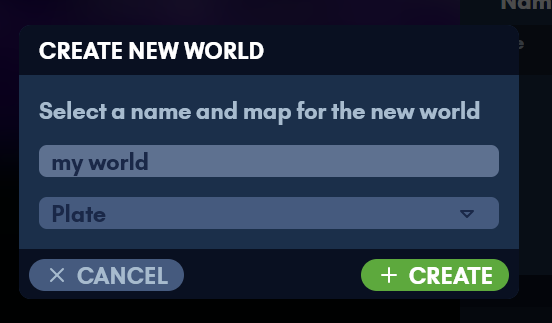
Worlds are managed from the web UI: create one, load it, or set the one to load on startup.
Updating
There are two things to keep up to date, and they update differently: the Brickadia server, and omegga itself.
The Brickadia server
The Server page shows the installed game version and updates it, and omegga does it on its own when automatic updates are on.
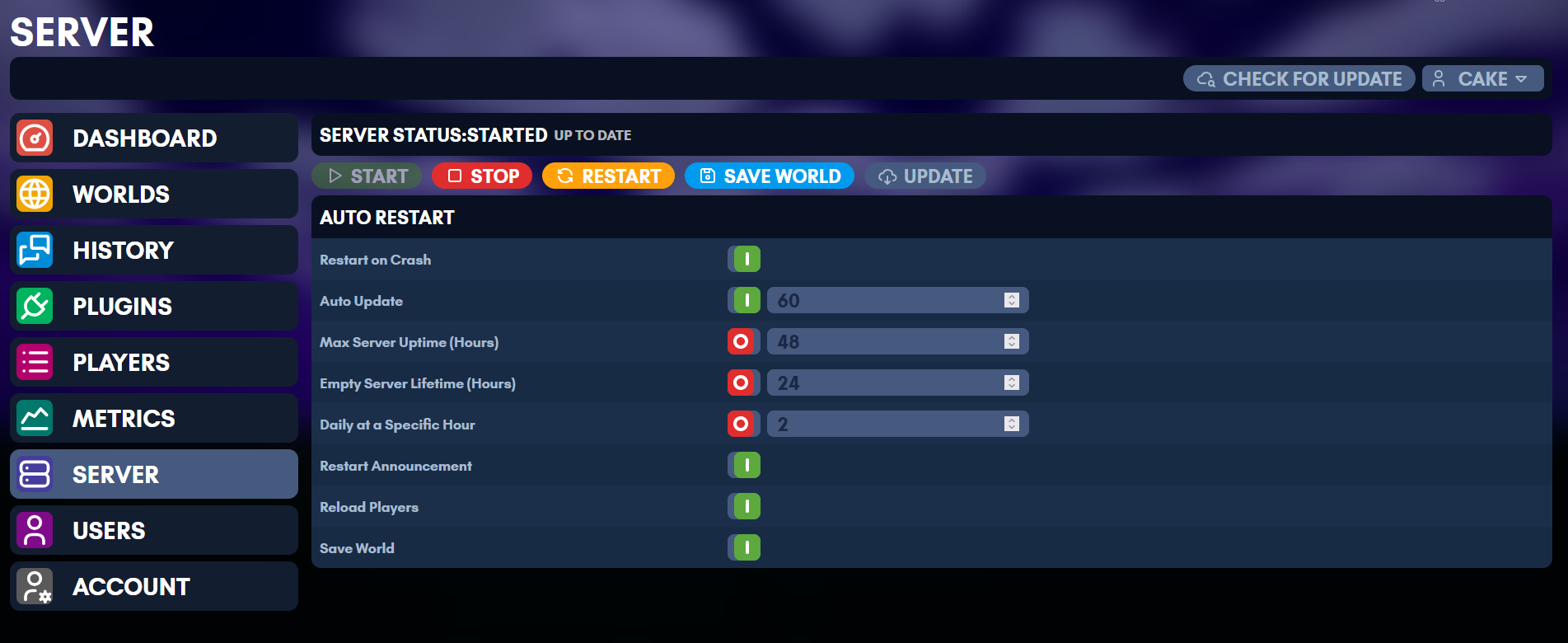
Without automatic updates, check for one by starting omegga with --update:
omegga --update
The /update command in the omegga console does the same while it is running.
It always stops and restarts the server, whether or not there was anything to
download, so /updatecheck (/uc, /check) asks Steam whether an update
exists and leaves the server alone. /uc show prints the local and remote build
IDs, and /uc on//uc off toggles automatic updates.
/version (/ver) prints the version the server is running.
To install or update the game without starting the server, run omegga download. It exits when SteamCMD finishes, which is what a provisioning step
wants, such as a game panel’s install stage.
Omegga itself
Omegga will tell you when it is out of date. It cannot replace itself while it is running, so stop it first:
npm i -g omegga
That is for the npm install. A container has omegga baked into the image and updates by pulling a new one, covered in Containers; a game panel updates by changing the image tag it runs, covered in Pterodactyl / Pelican.
Troubleshooting
Narrow down where the issue might be with the following options:
-
If you forgot your server’s password:
- terminal:
cat data/Saved/Config/LinuxServer/ServerSettings.ini | grep Password
- terminal:
-
If your brickadia is crashing and omegga works:
- omegga console:
/debug - terminal:
omegga --debug
- omegga console:
-
If your omegga isn’t starting
- terminal:
omegga --verbose
- terminal:
-
If a plugin is crashing, message the plugin developer
- discord: #plugin-bugs
-
If the web UI is blank and you installed from
git clone- terminal:
npm run dist
- terminal:
-
If the web UI is crashing, open the browser developer console and send the error to the #omegga-help discord channel
-
If a plugin fails to update and it has a
package-lock.json, ask the plugin developer to update that file before pushing -
If you are on Ubuntu and the output of
which npmis/bin/npm- terminal:
sudo apt purge nodejsand restart install instructions fromnvm install 24.
- terminal:
-
If you’re getting an
EACCESerror when runningnpm i -g omegga:- First, try this.
- If that doesn’t work, try this horrible bodge method for WSL:
- Set your WSL to WSL 2
npm i -g omegga- Set your WSL back to WSL 1 (assuming you want wsl1)
-
If SteamCMD says “
Steamcmd needs to be online to update” but the machine is online, it cannot read any CA certificates. steamcmd looks for them at exactly one path, and Fedora ships no file there:ls /etc/ssl/certs/ca-certificates.crt # missing on Fedora sudo ln -s /etc/pki/ca-trust/extracted/pem/tls-ca-bundle.pem /etc/ssl/certs/ca-certificates.crtThe install script does this for you when you agree to it.
-
If you’re getting a “
gyp ERR! stack Error: not found: make”,makecomes from build-essential:sudo apt update && sudo apt upgrade sudo apt install build-essential npm i -g omegga # re-run the omegga install
For problems during npm i -g omegga rather than after it, see
Install troubleshooting.
Containers
Release tags publish an image to ghcr.io/brickadia-community/omegga.
To run that image under a Pterodactyl panel instead of directly, see
Pterodactyl. Wings imposes its own user, working
directory, and console behaviour, and the egg in docker/pterodactyl handles
them.
docker run -it --rm \
  -v omegga-home:/home/steam \
  -v "$PWD/server:/server" \
  -p 8080:8080 -p 7777:7777/udp \
  -e BRICKADIA_TOKEN -e OMEGGA_PORT=8080 -e BRICKADIA_PORT=7777 \
  -e PUID="$(id -u)" -e PGID="$(id -g)" \
  ghcr.io/brickadia-community/omegga
Generate a hosting token at https://brickadia.com/account/tokens. Without one omegga falls back to an interactive auth prompt, which needs a tty: it stops there under docker run -it, and exits with the token URL when there is no tty to prompt on. Set OMEGGA_NONINTERACTIVE=true to get that same refusal on a host that does allocate a tty but cannot answer an arrow-key prompt. Arguments are passed through, so omegga --debug and bash both work in place of the default command. Omegga handles SIGINT and SIGTERM, so ctrl+c and docker stop shut down gracefully - add --init if you also want zombie reaping.
Omegga is baked into the image, so it updates by pulling a new one rather than through npm:
docker pull ghcr.io/brickadia-community/omegga:latest
docker compose pull && docker compose up -d # or, under compose
latest moves with every release, so pin a version like :1.14.0 if you would rather choose when that happens. Nothing pulls on its own - podman auto-update and watchtower are the usual ways to automate it.
The game is not in the image. It updates in place inside the volume with omegga --update or /update (which always restarts the server, unlike /updatecheck, which only reports whether an update exists), and steamcmd keeps itself up to date. Setting the container’s command to omegga --update (command: omegga --update under compose) checks on every start, at the cost of not starting at all when Steam is unreachable, rather than running the version already installed.
Compose
services:
  omegga:
    image: ghcr.io/brickadia-community/omegga:latest
    restart: unless-stopped
    stdin_open: true
    tty: true
    env_file: .env
    ports:
      - '${OMEGGA_PORT}:${OMEGGA_PORT}/tcp'
      - '${BRICKADIA_PORT}:${BRICKADIA_PORT}/udp'
    volumes:
      - home:/home/steam
      - ./server:/server

volumes:
  home:
# .env - read for the ${...} above, and passed to the container
BRICKADIA_TOKEN=...
OMEGGA_PORT=8080
BRICKADIA_PORT=7777
PUID=1000
PGID=1000
compose run --rm --service-ports omegga attaches a tty, so ctrl+c goes to omegga. With compose up it goes to compose, which stops the container instead.
Volumes
/home/steam- the Brickadia install, steamcmd, and auth files. Keep it on a named volume or the game is downloaded again every time the container is recreated./server- the omegga working directory:omegga-config.yml,data, andplugins. Bind mount it to edit them from the host. Console output is written todata/logsas well as to the container’s stdout, so it survives the container being recreated.
Ports
Set them with OMEGGA_PORT and BRICKADIA_PORT rather than editing the config file, so one value drives both the server and the port mapping. They override the config, though server.port still has to be present in it. See Environment Variables for the rest.
Brickadia reports its configured port to the master server, so a published port has to be the same number the server runs on. Never map -p 7778:7777/udp.
Metrics
METRICS_ENABLED=true with METRICS_BIND=0.0.0.0 serves the Prometheus
endpoint on the container’s own network interface, where a scraper
on the same compose network reaches it by service name without the port being
published at all. metrics.token has no environment variable, so it belongs in
omegga-config.yml on the mounted /server.
Metrics has a compose file with omegga, Prometheus, and VictoriaMetrics together, and the config files that go with it.
File Ownership
PUID and PGID decide who owns what omegga writes into a bind-mounted /server; set them to your own id -u and id -g. PUID=0 runs as root instead and leaves root-owned files behind on the host.
Building
The Dockerfile builds omegga on top of gameservermanagers/steamcmd, with node from nvm.
# the omegga in this checkout
docker build -t omegga .

# or a release off npm, where OMEGGA_VERSION is an npm version
docker build -t omegga --target npm --build-arg OMEGGA_VERSION=1.14.0 .
OMEGGA_VERSION is required and has to be an exact version. There is deliberately no latest default: that layer is cached on its command text, so latest would never invalidate it - rebuilds would keep reinstalling whichever version was current the first time, and only --no-cache would get past it.
Podman
podman build, podman run, and podman compose take the same arguments and read the same compose file. Two things differ:
- Rootless podman maps the container’s root to your own user, so
PUID=0is what leaves bind-mounted files owned by you - the opposite of the advice above. Keeping the container’s unprivileged user maps it to a subuid instead, and/serverends up owned by an id you needpodman unshareto touch. To stay unprivileged inside the container,--userns=keep-id:uid=1000,gid=1000maps you onto the image’ssteamuser. - On SELinux systems bind mounts need a relabel:
-v "$PWD/server:/server:Z".
Pterodactyl / Pelican
Pterodactyl runs game servers as Docker containers
managed by a web panel. An egg tells it how to install and run one.
docker/pterodactyl/egg-omegga.json
in this repository is that egg for Omegga.
Pelican is a fork of Pterodactyl and imports the same egg format, so these steps apply there too; only the panel’s own naming for the UI bits differs.
It runs the published image, so Omegga updates by changing the image tag rather than reinstalling. Brickadia is not in the image; Omegga downloads it through steamcmd on first start, into the server’s own volume.
Setting one up takes three steps:
- Import the egg.
- Create a server from it, with two allocations.
- Set a hosting token
Importing the egg
Pelican can import an egg from a URL, so there is nothing to download. Point its egg import at the raw file:
https://raw.githubusercontent.com/brickadia-community/omegga/master/docker/pterodactyl/egg-omegga.json
Pterodactyl has no URL import, and no CLI or API for eggs either, so there it is a file upload:
-
Download the egg here or with
curl:curl -LO https://raw.githubusercontent.com/brickadia-community/omegga/master/docker/pterodactyl/egg-omegga.json -
Admin > Nests > Import Egg
-
Upload
egg-omegga.jsonand pick a nest (create a “Brickadia” nest if you do not have one).
Both PTDL_v1 and PTDL_v2 are accepted by current panels; this egg is
PTDL_v2.
Creating a server
Omegga needs two ports, so the server needs two allocations:
| Allocation | Protocol | Used for |
|---|---|---|
| primary | UDP | Brickadia. SERVER_PORT drives BRICKADIA_PORT |
| second | TCP | the Omegga web UI. Set OMEGGA_PORT to this port |
Wings publishes each allocation on both TCP and UDP, so one allocation per number is enough. They cannot share a number: Brickadia reports its configured port to the master server, so the published port has to be the port it runs on.
Assign both on the server’s Network tab, then set OMEGGA_PORT on the
Startup tab to the second one. The egg cannot do this for you: an egg
variable can hold a port number but cannot create the allocation.
Give the server at least 2-4 GB of disk for the Brickadia install, plus room for worlds and plugins. The node has to be declared large enough in the panel too, or the server cannot be placed on it.
The hosting token
BRICKADIA_TOKEN is required. Generate one at
https://brickadia.com/account/tokens and paste it into Brickadia hosting
token on the Startup tab.
Omegga reads the token from the environment on every start and passes it to the server, so it stays in the panel and is never written into the volume.
Variables
| Variable | Default | Notes |
|---|---|---|
BRICKADIA_TOKEN | none | Required. Hosting token from brickadia.com/account/tokens |
OMEGGA_PORT | 8080 | Web UI port; must match a second allocation |
OMEGGA_FLAGS | empty | Extra flags: --update, --verbose, --debug |
METRICS_ENABLED | false | Prometheus endpoint; needs a third allocation |
METRICS_BIND | 0.0.0.0 | Must be 0.0.0.0 to be reachable outside the container |
METRICS_PORT | 9000 | Metrics port |
PUID | 0 | Do not change; see Why PUID=0 |
OMEGGA_NONINTERACTIVE | true | Hidden. Refuse auth prompts the console cannot answer |
SKIP_STEAMCMD_PROMPT | true | Hidden. Do not change |
PACKAGE_NOTIFIER | false | Hidden. Omegga comes from the image, not npm |
STEAM_NOTIFIER | false | Hidden |
--update in OMEGGA_FLAGS checks Steam for a Brickadia update on every
start. It keeps the game current at the cost of not starting at all when Steam
is unreachable.
Debug logging goes through OMEGGA_FLAGS=--debug, not the BRICKADIA_DEBUG
environment variable. Omegga treats that variable as set-or-unset, so the
string "false" would enable it, and Pterodactyl materialises every declared
variable into the environment, with no way to leave one unset.
Ports in the config file
The egg drives ports through BRICKADIA_PORT and OMEGGA_PORT in the
environment, which override omegga-config.yml. It also keeps the two port
keys in the file itself in sync with the allocations, so the web UI and
omegga info report the ports the server is really on.
Everything else in omegga-config.yml is yours: edit it from the file manager
or the web UI. The egg only touches server.port and omegga.port.
Web UI over HTTPS
Omegga’s web UI defaults to https with a self-signed certificate, so browsers
warn on first visit. To use a real certificate, put a reverse proxy in front of
the allocation and see HTTPS with a real certificate.
Stopping
The egg stops the server by sending SIGINT (^C), which Omegga handles
gracefully. Its startup is considered complete when it logs
Server has started.
Limitations
- The published image is amd64 only. Omegga will not run on ARM nodes.
- SFTP reaches the server volume, but the Brickadia install lives in
$HOMEinside the same volume and is large; avoid syncing it wholesale. - The first start downloads Brickadia before the server becomes usable. The console shows steamcmd progress during this; it is not stuck.
Why PUID=0
Wings runs an egg’s install script as the install image’s own default user,
and mounts the script from a root-owned 0700 directory. The Omegga image’s
entrypoint drops privileges to its unprivileged steam user, which then cannot
read the script:
bash: /mnt/install/install.sh: Permission denied
PUID=0 tells the entrypoint not to drop, which is the documented way to keep
it as root (see Containers).
It has no effect on the server container. Wings sets the container user
explicitly there, so the entrypoint sees a non-root uid and execs straight
through without reading PUID at all. Wings also chowns the server volume to
that user on start, so the root-owned files the install script leaves behind
are corrected before Omegga ever runs.
The entrypoint’s Pterodactyl branch deliberately does not apply here: install
scripts arrive as an explicit bash /mnt/install/install.sh with STARTUP set
as well, and have to run as given rather than being replaced by the startup
command.
Uninstalling
# uninstall omegga
npm uninstall -g omegga

# remove omegga config
rm -rf ~/.config/omegga

# remove brickadia installs
rm -rf ~/.local/share/brickadia-launcher

# potentially remove extra brickadia config
rm ~/.config/Epic
~/.config/omegga is also where steamcmd installs the game, so removing it
reclaims the Brickadia download too.
You will have to delete the server folders you created manually.
If you ran omegga in a container instead, none of the above applies: remove the container, its home volume, and the server directory you bind mounted. See Containers.
Configuration
- CLI config via
omegga config - Omegga config is located in a generated
omegga-config.yml - Plugin config is managed inside the web-ui’s plugins tab.
- Plugin config can also be set with
omegga set-config pluginName configName configValue - Plugin config can be fetched with
omegga get-config pluginName
Every field can also be set with an environment variable, which wins over the file.
Example available omegga-config.yml fields
omegga:
  port: 8080
  webui: true
  https: true
  debug: false
credentials:
  token: # hosting token can go here instead of global config
  # if you are hosting servers for multiple people
server:
  port: 7777
  map: Plate
  # Specifying a branch will use the old launcher instead of SteamCMD
  # This does not have full auto-updater support yet, though the game will update every time it is restarted
  # branch: release:release-server
terminal:
  # prepend timestamps to terminal output using dateformat syntax
  # see https://www.npmjs.com/package/dateformat for format options
  # timestamp: "HH:MM:ss"             # 14:05:30
  # timestamp: "yyyy-mm-dd"           # 2026-03-10
  # timestamp: "yyyy-mm-dd HH:MM:ss"  # 2026-03-10 14:05:30
  # timestamp: "HH:MM"                # 14:05
  # timestamp: "hh:MM:ss TT"          # 02:05:30 PM
  # timestamp: "[HH:MM:ss]"           # [14:05:30]
logs:
  # console output is also written to data/logs, one file per day
  # enabled: false     # turn it off entirely
  # dir: ./data/logs   # relative to the omegga working directory
  # maxSizeMB: 32      # roll to omegga-DATE.1.log past this
  # keepDays: 7        # 0 keeps every file forever
  # verbose: true      # --verbose detail in the file, quiet terminal
  # every line is timestamped; this only changes the format
  # timestamp: "yyyy-mm-dd HH:MM:ss.l"
Note: BRANCH-server branches download only server data
Every field
Default config values, including the ones the generated file leaves out:
omegga:
  port: 8080 # web-ui port
  webui: true # enable web-ui
  plugins: true # enable plugins
  singleUser: false # disable web-ui auth users
  https: true # enable https for web-ui
  debug: false # debug logging
server:
  port: 7777 # game server port
  map: Plate # map name
  # when false, the server launches with -NoRemoteFileAccess
  remoteFiles: true
  # When branch is present, steamcmd is not used. This is for ALPHA only, and Omegga may not work for Brickadia A5 anymore.
  #branch: release:release-server # branch alias:branch name
  steambeta: public # try `unstable`
terminal:
  # prepend timestamps to terminal output (see https://www.npmjs.com/package/dateformat)
  #timestamp: "HH:MM:ss" # e.g. 14:05:30, "[HH:MM:ss]" for [14:05:30]
logs:
  enabled: true # write console output to data/logs
  dir: ./data/logs # relative to the omegga working directory
  maxSizeMB: 32 # one day rolls to omegga-DATE.1.log past this
  keepDays: 7 # deleted at startup and at midnight once older; 0 keeps them
  verbose: false # keep --verbose detail in the file while the terminal stays quiet
  timestamp: "yyyy-mm-dd HH:MM:ss.l" # every line is timestamped; this is the format
metrics:
  enabled: false # serve a prometheus metrics endpoint
  bind: 127.0.0.1 # address to bind (the endpoint is unauthenticated by default)
  port: 9000 # metrics port
  path: /metrics # url path to serve on
  #token: hunter2 # when set, scrapes must send `Authorization: Bearer <token>`
  defaultMetrics: true # export standard process_/nodejs_ metrics for omegga
  statusMaxAge: 15 # seconds before a scrape refreshes the cached server status
  plugins: true # let plugins register their own metrics
The metrics section is documented in full on its own page, and Running a server covers what ends up in the log files.
Environment Variables
These can be set in your shell or in a .env file the same directory as a omegga-config.yml file.
omegga accepts the following environment variables:
BRICKADIA_TOKEN- Specify hosting token instead of using config (generate one at https://brickadia.com/account/tokens)BRICKADIA_USER- Brickadia auth username (on first start)BRICKADIA_PASS- Brickadia auth password (on first start)BRICKADIA_PORT- Brickadia server port (default7777); overridesserver.portfrom the configOMEGGA_PORT- omegga webserver port (default8080); overridesomegga.portfrom the configOMEGGA_UI_HOST- host shown in the “Web UI available at” log message (default127.0.0.1)METRICS_ENABLED- Serve the prometheus metrics endpoint; overridesmetrics.enabledfrom the configMETRICS_BIND- Address the metrics endpoint binds to (default127.0.0.1); overridesmetrics.bindMETRICS_PORT- Metrics endpoint port (default9000); overridesmetrics.portLOGS_ENABLED- Write console output to log files (defaulttrue); overrideslogs.enabledfrom the configLOGS_DIR- Where log files go, relative to the working directory (default./data/logs); overrideslogs.dirLOGS_MAX_SIZE_MB- Megabytes one day’s log may reach before rolling to a numbered part (default32); overrideslogs.maxSizeMBLOGS_KEEP_DAYS- Days of logs to keep, counting today;0keeps them forever (default7); overrideslogs.keepDaysLOGS_TIMESTAMP- dateformat pattern prefixed to every log line (defaultyyyy-mm-dd HH:MM:ss.l); overrideslogs.timestampLOGS_VERBOSE- Keep--verbosedetail in the log file while the terminal stays quiet (defaultfalse); overrideslogs.verboseBRICKADIA_DIR- Override the need to use steamcmd and point to a Brickadia install directory (eg./home/<USER>/.config/omegga/steam_installs/main/Brickadia)STEAM_INSTALLS_DIR- Set where omegga installs brickadia via steamcmd (default~/.config/omegga/steam_installs)STEAM_APP_ID- Set the Steam App ID for Brickadia (default3017590)STEAM_USERNAME- Set the Steam username for downloading Brickadia via steamcmd. Runomegga steamloginto authenticate with Steam GuardSTEAM_PASSWORD- (Optional) Steam password; if not set, you will be prompted interactivelyVERBOSE- Set totrueto enable verbose logging, equivalent to the--verboseflag (defaultfalse)PACKAGE_NOTIFIER- When set tofalse, disables the npm update notifierSTEAM_NOTIFIER- When set tofalse, disables the SteamCMD update notifierSKIP_STEAMCMD_PROMPT- When set totrue, agrees to installing SteamCMD without promptingOMEGGA_GIT- Which git implementation plugin installs and updates use:binfor thegitbinary,jsfor the bundled one. Defaults tobinwhen git is onPATH,jswhen it is notBRICKADIA_DEBUG- Set totrueto enable debug logging, equivalent to the--debugflag (defaultfalse)OMEGGA_NONINTERACTIVE- Set totrueto fail instead of prompting for authentication. Defaults totruewhen stdin is not a terminal; set it explicitly on hosts that provide a terminal that cannot answer a prompt, such as a game panel console that only submits whole lines
Web UI Permission System
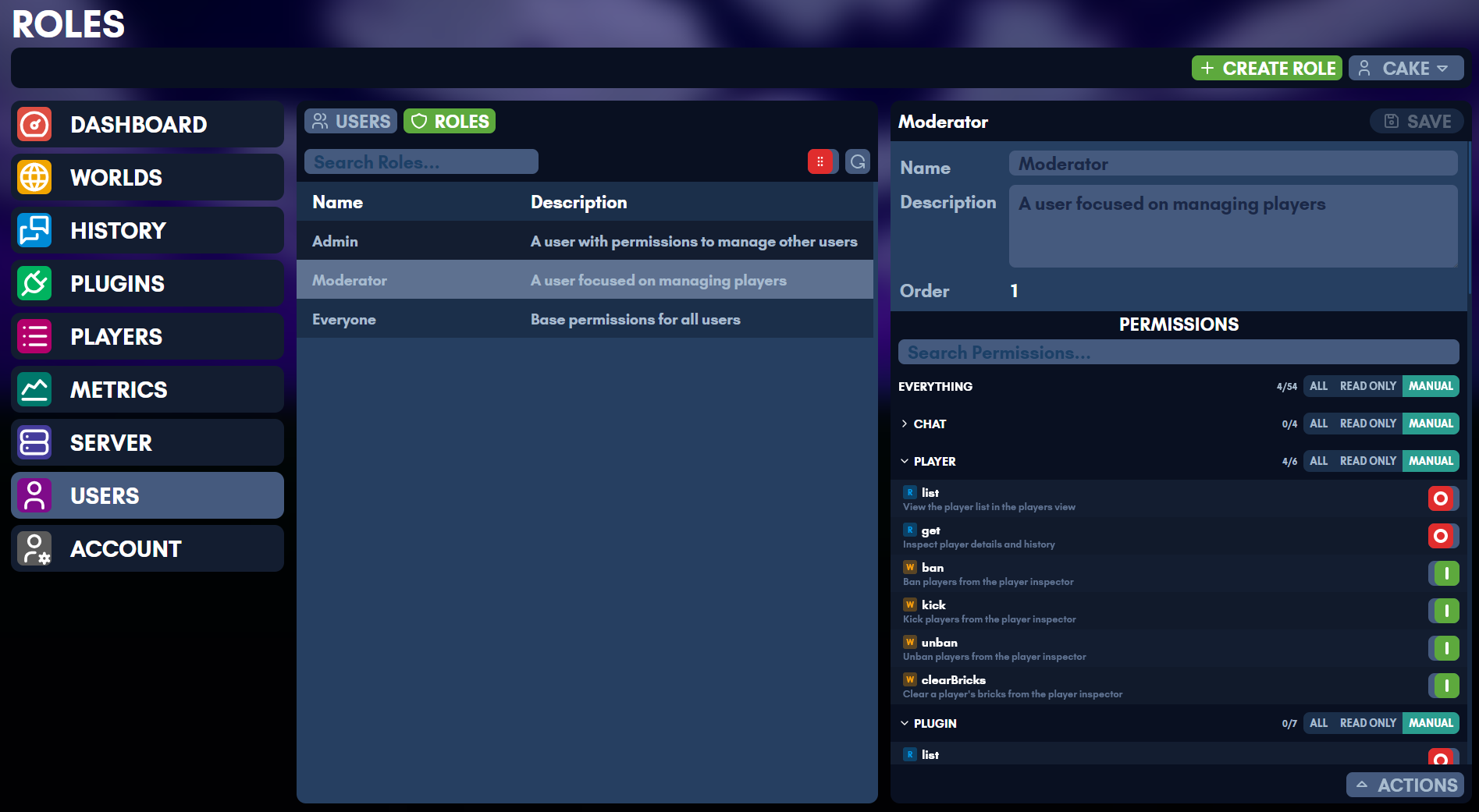
Roles granted here are omegga’s own, for who may do what in the web UI. They are separate from the in-game roles the console grants, which the same person often manages side by side.
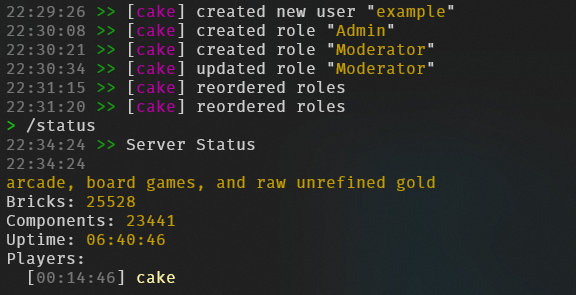
The web UI uses a hierarchical, purely additive permission model. Permissions can only grant access, never deny it.
Data Model
Each user has a PermissionSet:
interface PermissionSet {
  root: 'all' | 'read' | 'off';
  domains: Partial<Record<Domain, 'all' | 'read'>>;
  scopes: Partial<Record<Scope, boolean>>;
}
A server-wide default PermissionSet serves as a fallback for all users. Roles are additive collections of permissions that can be assigned to users.
Resolution
When checking whether a user has a specific scope, the resolver walks these levels in order. The first level that produces a definite answer wins.
1. Owner bypass    - isOwner grants everything
2. Root level      - 'all' grants everything; 'read' grants read-only scopes; 'off' falls through
3. Domain level    - 'all' grants all scopes in that domain; 'read' grants read-only scopes; absent falls through
4. Scope level     - true grants; absent falls through to role permissions
5. Role perms      - union of all assigned role permissions + default permissions, resolved with the same root/domain/scope logic
6. Not granted     - false
The readOnly flag on each scope definition determines whether “Read Only” mode at root or domain level grants that scope.
Roles
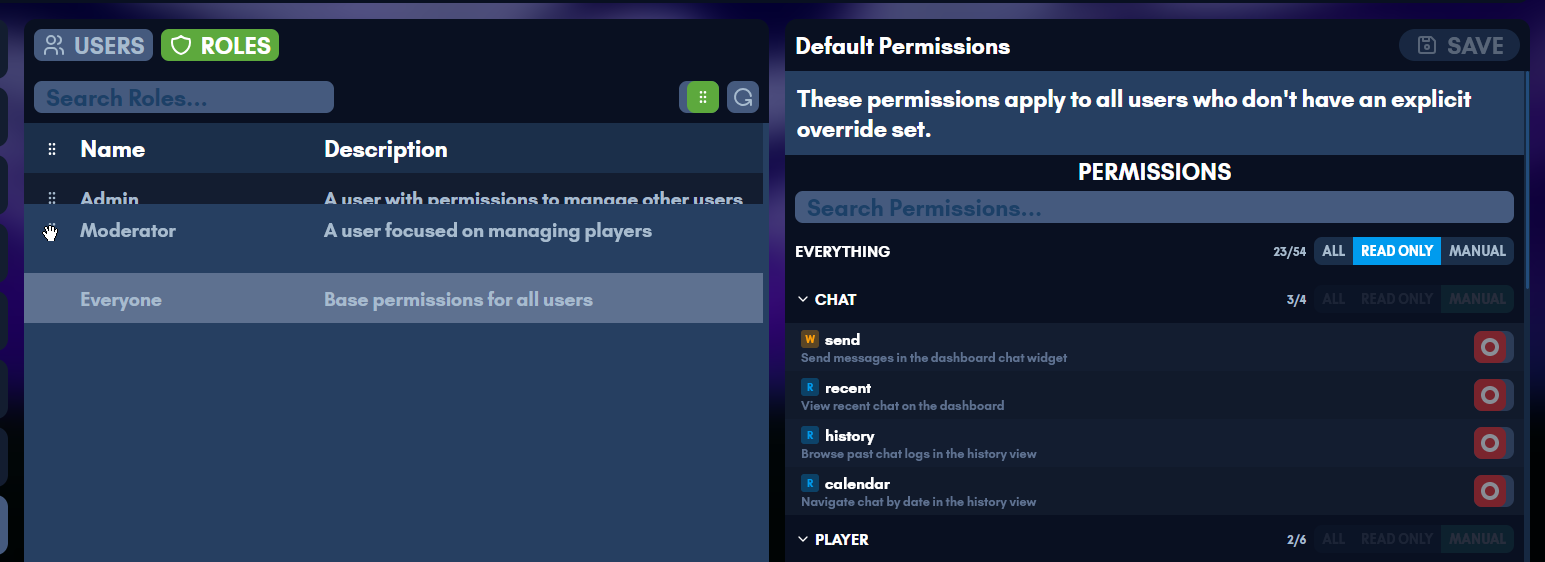
Roles are named, ordered collections of permissions stored as PermissionSet values. A user’s effective permissions are the union of their direct permissions, all assigned role permissions, and the default permissions.
Ordering and Hierarchy
Each role has a numeric order value. Higher order = more powerful. The order is used solely for hierarchy enforcement (preventing privilege escalation), not for permission resolution (which is purely additive/union).
Hierarchy rules for non-owner users:
- A user can only manage (edit, delete, reorder) roles with order strictly less than their highest role that grants the relevant permission
- A user cannot grant or revoke roles at or above their own level
- A user cannot grant permissions they do not possess to a role
- Reorder requires
role.editfrom an assigned role (not from default permissions) - New roles are created at order 1 (weakest), with existing roles bumped up
The display sorts roles descending by order (most powerful at top).
Default Permissions
Default permissions apply to all users as a baseline fallback. They are edited separately from roles via the role.defaultPermissions scope and appear as the “Everyone” entry at the bottom of the roles list.
Levels
Root
| Value | UI Label | Behavior |
|---|---|---|
all | All | Grants every scope |
read | Read Only | Grants only scopes marked readOnly: true |
off | Manual | Falls through to domain and scope checks |
Domain
| Value | UI Label | Behavior |
|---|---|---|
all | All | Grants every scope in this domain |
read | Read Only | Grants only readOnly scopes in this domain |
| (absent) | Manual | Falls through to individual scope toggles |
Domains are purely additive. Setting a domain to “Manual” removes it from the domains map rather than storing a deny value.
Scope
Permissions are purely additive. true grants the scope, absent (or toggled off) falls through to role/default permissions. There is no way to explicitly deny a scope – toggling a scope off simply removes the user-level override so the role/default permissions apply.
Domains and Scopes
Each scope belongs to exactly one domain and is either read-only (R) or read-write (W).
Chat
| Scope | R/W | Description |
|---|---|---|
chat.send | W | Send messages in the dashboard chat widget |
chat.recent | R | View recent chat on the dashboard |
chat.history | R | Browse and search past chat logs in the history view |
chat.calendar | R | Navigate chat by date in the history view |
Player
| Scope | R/W | Description |
|---|---|---|
player.list | R | View the player list in the players view |
player.get | R | Inspect player details and history |
player.ban | W | Ban players from the player inspector |
player.kick | W | Kick players from the player inspector |
player.unban | W | Unban players from the player inspector |
player.clearBricks | W | Clear a player’s bricks from the player inspector |
Plugin
| Scope | R/W | Description |
|---|---|---|
plugin.list | R | View installed plugins in the plugins view |
plugin.get | R | Inspect plugin details and configuration |
plugin.config | W | Edit plugin settings in the plugin inspector |
plugin.load | W | Load plugins from the plugin inspector |
plugin.unload | W | Unload plugins from the plugin inspector |
plugin.toggle | W | Enable or disable plugins in the plugins view |
plugin.reloadAll | W | Reload all plugins from the plugins view |
Server
| Scope | R/W | Description |
|---|---|---|
server.status | R | View server status on the dashboard and server view |
server.start | W | Start the server from the server view |
server.stop | W | Stop the server from the server view |
server.restart | W | Restart the server from the server view |
server.update.check | W | Check for server updates in the server view (runs SteamCMD) |
server.update.run | W | Run server updates from the server view |
server.autorestart.get | R | View auto-restart settings in the server view |
server.autorestart.set | W | Change auto-restart settings in the server view |
server.utilization | R | View CPU, memory, and disk usage on the dashboard |
User
| Scope | R/W | Description |
|---|---|---|
user.list | R | View web UI user accounts in the users view |
user.create | W | Create new user accounts in the users view |
user.passwd | W | Change other users’ passwords in the user inspector |
user.ban | W | Disable or re-enable users in the user inspector |
user.delete | W | Permanently delete user accounts |
user.permissions | W | Edit user permissions in the users view |
user.grantRole | W | Assign and revoke roles to/from users |
user.readMfa | R | View MFA status of other users in the user inspector |
user.resetMfa | W | Reset MFA for other users in the user inspector |
World
| Scope | R/W | Description |
|---|---|---|
world.list | R | View available worlds in the worlds view |
world.active | R | See which world is currently loaded |
world.next | R | See which world will load next |
world.revisions | R | View world save revisions in the world inspector |
world.meta | R | View world metadata in the world inspector |
world.load | W | Load worlds from the world inspector |
world.use | W | Set the default world in the worlds view |
world.save | W | Save the current world from the worlds or server view |
world.create | W | Create new worlds in the worlds view |
Role
| Scope | R/W | Description |
|---|---|---|
role.list | R | View roles in the roles view |
role.edit | W | Create, edit, delete, and reorder roles |
role.defaultPermissions | W | Edit the default permissions that apply to all users |
role.grantPermission | W | Add or remove permissions within roles |
Users
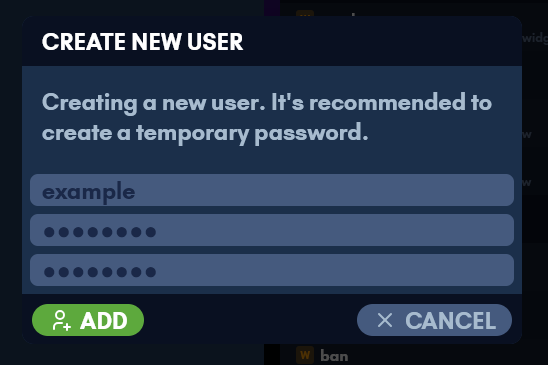
Users are created from the web UI, each with their own permissions and roles. The Users page adds one under Actions.

Self-Service
All authenticated users can access the /account page regardless of permissions. This page shows the user’s own account info, MFA management (TOTP, passkeys, recovery codes), and password change.
The user.self endpoint (scoped to session.info) returns the current user’s data without requiring user.list. The user.passwd endpoint allows any user to change their own password (requires current password); changing another user’s password requires the user.passwd scope. MFA management endpoints (mfa.*) are scoped to session.info and require password verification for sensitive operations (TOTP setup/disable, passkey removal, recovery code generation).
Enforcement
Backend
Every tRPC endpoint is wrapped with protectedProcedure(scope), which runs requireScope middleware. The middleware:
- Rejects unauthenticated requests (
UNAUTHORIZED) - Allows owners unconditionally
- Resolves the scope against the user’s permissions + role permissions + server defaults
- Rejects with
FORBIDDENif not granted
Subscription endpoints (like server.onStatus, chat.onMessage) share the scope of their corresponding query endpoint rather than having separate scopes.
Role management endpoints additionally enforce hierarchy checks via checkRoleHierarchy, which verifies the actor’s highest role granting the required scope has an order strictly greater than the target role’s order.
Frontend
On login, the session response includes resolvedScopes – a flat Record<string, boolean> with every scope pre-resolved (including role and default permissions). The frontend stores this in a nanostore ($resolvedScopes).
useHasScope(...scopes)– returns true if the user has all specified scopesuseHasAnyScope(...scopes)– returns true if the user has any of the specified scopesuseRequireScope(scope)– redirects to/if the user lacks the scope
The permission and scope definitions are shared between frontend and backend via @backend/scopes.
Sidenav Visibility
Each sidenav link is gated by a specific scope:
| Link | Required Scope | Always Visible |
|---|---|---|
| Dashboard | – | Yes |
| Worlds | world.list | No |
| History | chat.history | No |
| Plugins | plugin.list | No |
| Players | player.list | No |
| Server | server.status | No |
| Users | user.list | No |
| Roles | role.list (shown when user lacks user.list) | No |
| Account | – | Yes |
The Users sidenav item also highlights when on /roles. If a user has role.list but not user.list, a Roles-only sidenav item appears instead.
View Access
Each view redirects to the dashboard if the user lacks its required scope:
- Worlds requires
world.list - History requires
chat.history - Plugins requires
plugin.list - Players requires
player.list - Server requires
server.status - Users requires
user.list - Roles requires
role.list
The Users and Roles views share a tab bar when the user has both user.list and role.list. The tab bar is hidden when only one permission is held.
Within a view, individual buttons and controls are conditionally rendered based on their specific scopes. The role inspector shows read-only mode for roles at or above the user’s hierarchy level. Admin actions in the user inspector (change password, disable, delete, reset MFA) are shown in an actions widget gated by their respective scopes.
The backend remains the source of truth – frontend checks are for UX only.
Privilege Escalation Prevention
All user-management mutations (passwd, ban, delete, permissions, grantRole, revokeRole, resetMfa) enforce user hierarchy checks via checkUserHierarchy. The actor’s highest role order must be strictly greater than the target’s highest role order. The owner is always protected and cannot be targeted by non-owners.
Self-Action Prevention
Users cannot: change their own permissions, grant/revoke roles to/from themselves, disable themselves, or delete themselves. Self-service password change is allowed but requires the current password.
User Permissions
When a non-owner user edits another user’s permissions, the backend checks that the editor is not granting scopes they don’t have themselves. The mutation resolves all scopes in the proposed PermissionSet against the editor’s effective permissions (direct + roles + defaults) and rejects any scope the editor lacks. The target user must also be below the editor in the role hierarchy.
Role Permissions
When editing or creating a role’s permissions, the user must have both role.edit and role.grantPermission. The hierarchy check ensures the target role is below the user’s level. The escalation check ensures the user has every permission they are granting to the role, using their full effective permissions (direct + roles + defaults).
Default Permissions
Editing default permissions requires role.defaultPermissions. The same escalation check applies – users cannot add permissions to the defaults that they don’t have themselves. Note that removing default permissions is allowed (this can affect all users who rely on defaults).
Role Assignment
Granting a role requires user.grantRole. Three checks are enforced:
- Hierarchy: the role being granted must be below the actor’s highest role that grants
user.grantRole - Containment: the actor must possess every permission contained in the role being granted (prevents indirect privilege escalation through role assignment)
- Target protection: the target must be below the actor in the role hierarchy
Revoking a role requires the same hierarchy check on the role being revoked, plus the target must be below the actor.
Role Reordering
Reorder requires role.edit from an assigned role (not from default/direct permissions, which return Infinity and would bypass all hierarchy). Non-owners must submit all roles below their level (no partial reorders). The reorder preserves the order slots of unmanaged roles, preventing collisions with roles above the actor’s level.
Direct Permissions and Hierarchy
When a user has a scope from direct or default permissions (but not from any assigned role), getActorHighestOrder returns Infinity for that scope. This allows the user to manage any role for create/edit/delete operations but does NOT allow reorder (which explicitly requires a role-based order). Owners should be aware that granting role.edit as a direct permission is equivalent to owner-level role management.
Race Conditions
createRoleuses a single atomic$incmulti-update to bump all existing role orders before inserting at order 1. The uniform bump preserves relative ordering, so concurrent operations see consistent hierarchy.- Reorder assigns orders inline within the endpoint handler. NeDB operations are individually atomic but there are no multi-document transactions. Under concurrent reorder requests, the last write wins, but hierarchy checks prevent escalation because they validate against the current database state at check time.
- The roles cache is invalidated after every mutation. Between a mutation and cache invalidation, concurrent reads may see stale data, but stale data is always MORE restrictive (lower actor orders), never less.
Storage
User permissions are stored in the users NeDB store as part of each user document. Default permissions are stored in the server NeDB store as a { type: 'defaultPermissions' } document. Roles are stored in the server NeDB store as { type: 'webRole' } documents.
New users are created with EMPTY_PERMISSIONS (root: 'off', domains: {}, scopes: {}) and an empty roles: [] array, which means all access is determined by server defaults until explicitly configured.
Metrics
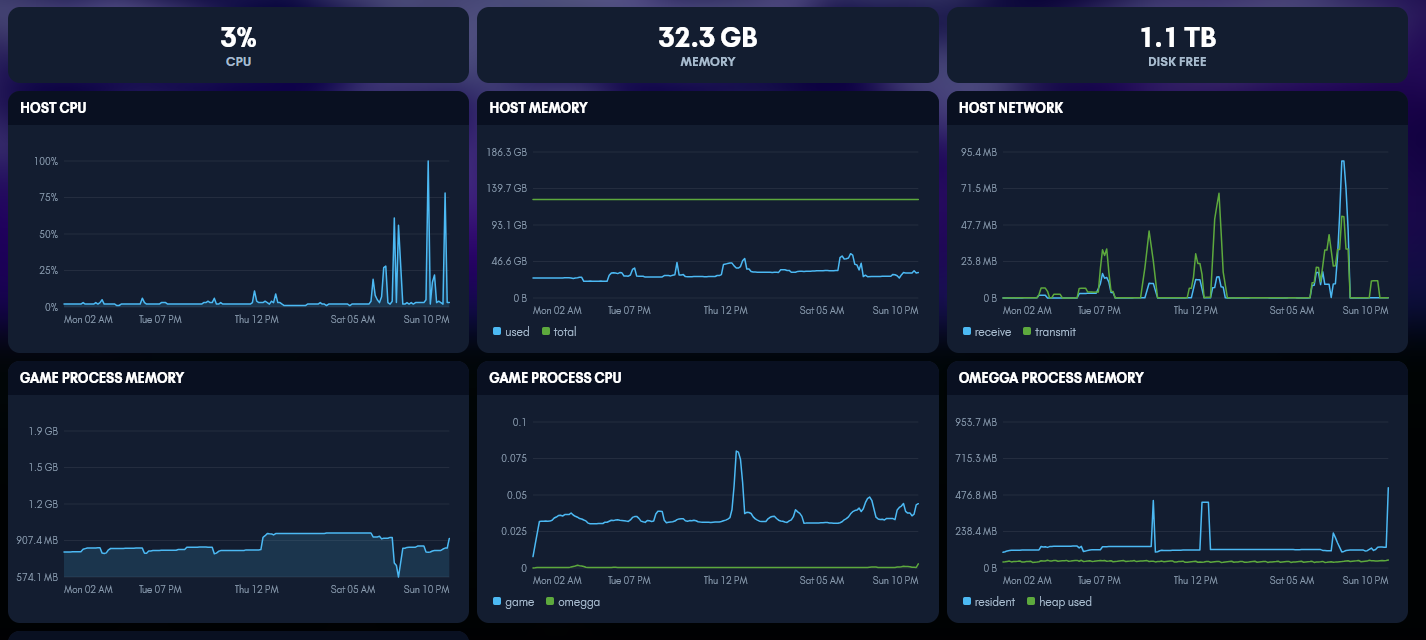
With a Prometheus scraping it, omegga charts what it collects in the web UI.
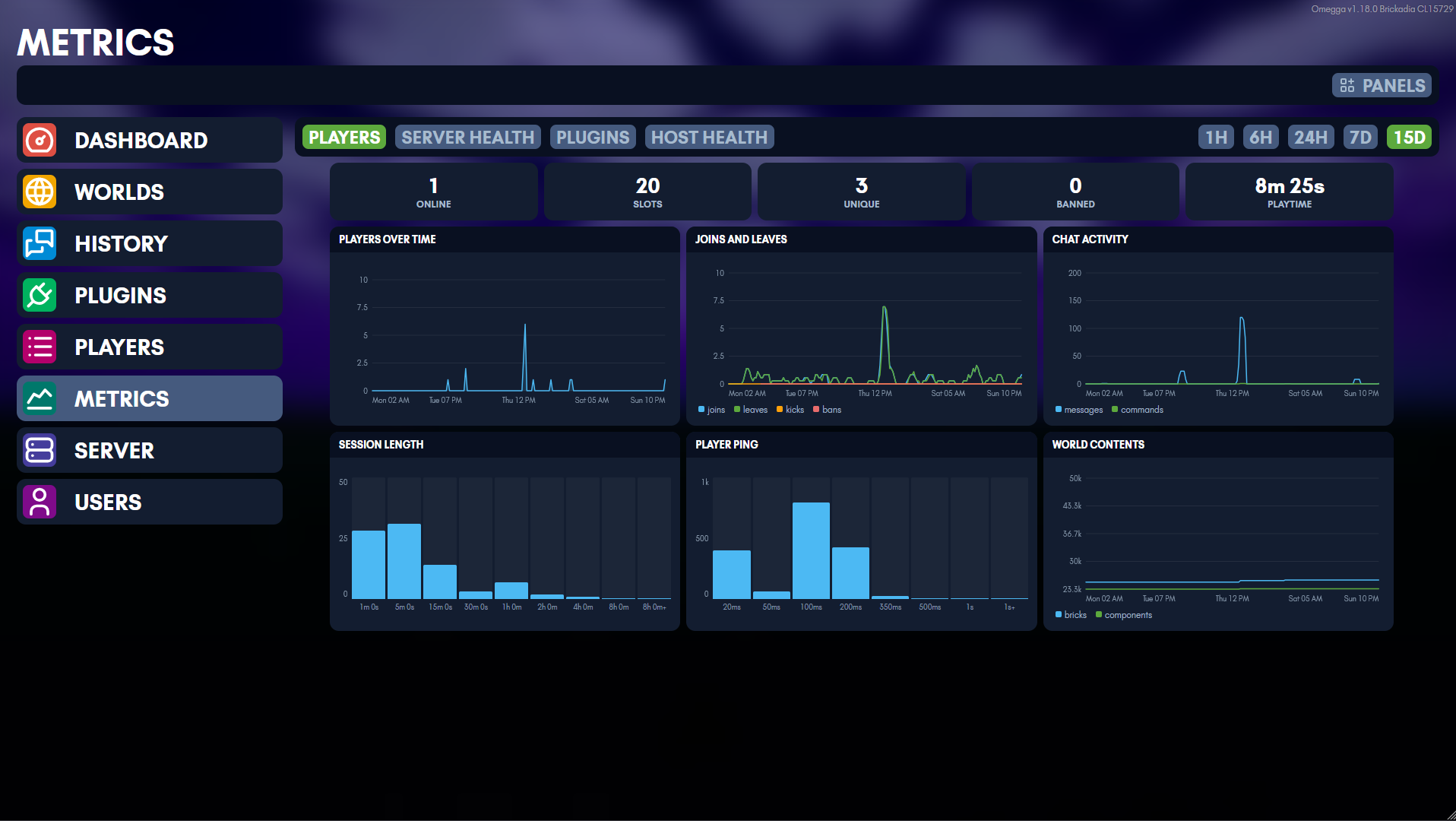
Getting there is two settings: the endpoint omegga serves, and the Prometheus it reads back from. Dashboards in the web UI covers the second.
Omegga can serve a Prometheus scrape endpoint, off by
default. It is a standalone HTTP server, so it works with omegga.webui: false
and binds to its own address and port.
metrics:
  enabled: true
  bind: '127.0.0.1'
  port: 9000
Or set METRICS_ENABLED=true, METRICS_BIND, METRICS_PORT.
# prometheus.yml
scrape_configs:
  - job_name: omegga
    static_configs:
      - targets: ['localhost:9000']
Security
The endpoint is unauthenticated, hence the loopback default. To expose it,
either front it with a reverse proxy or set metrics.token and have Prometheus
send it as authorization: { credentials: ... }. Omegga warns at startup if you
bind off-loopback without a token.
A Prometheus to scrape it
If you do not already run one, this is enough to stand a scraper up next to omegga. It assumes omegga runs on the host and Prometheus runs in docker; for omegga in a container too, skip to the whole stack in compose.
# compose.yml
services:
  prometheus:
    image: prom/prometheus:v3.14.0
    restart: unless-stopped
    command:
      - '--config.file=/etc/prometheus/prometheus.yml'
      - '--storage.tsdb.path=/prometheus'
      - '--storage.tsdb.retention.time=15d'
    volumes:
      - ./prometheus.yml:/etc/prometheus/prometheus.yml:ro
      - ./omegga.token:/etc/prometheus/omegga.token:ro
      - prometheus:/prometheus
    # omegga runs on the host, not on this network
    extra_hosts:
      - 'host.docker.internal:host-gateway'
    ports:
      - '127.0.0.1:9090:9090'

volumes:
  prometheus:
# prometheus.yml
global:
  scrape_interval: 15s

scrape_configs:
  - job_name: omegga
    authorization:
      credentials_file: /etc/prometheus/omegga.token
    static_configs:
      - targets: ['host.docker.internal:9000']
        labels:
          instance: server-1
omegga.token holds the same string as metrics.token, and nothing else.
Prometheus does not expand environment variables in its config file, which is
why the token goes in a file rather than inline.
Three things that are easy to get wrong:
- The default bind is unreachable from a container.
metrics.binddefaults to127.0.0.1, which is the host’s loopback and not one any container shares. SetMETRICS_BIND=0.0.0.0, and setmetrics.tokenin the same change, or the endpoint is on your LAN unauthenticated. - Prometheus itself has no authentication. Publishing it on
127.0.0.1:9090keeps its API off the network while leaving it reachable from the host, which is all the web UI dashboards need. instanceis what those dashboards filter on. Whatever you label the target here is whatmetrics.prometheus.instancehas to be set to. Several omeggas is one moretargetsentry each, with a distinctinstance.
Local storage is capped by --storage.tsdb.retention.time. To keep more than
that, remote_write into something built for it rather than raising the
retention; the web UI reads back at most metrics.prometheus.retentionDays
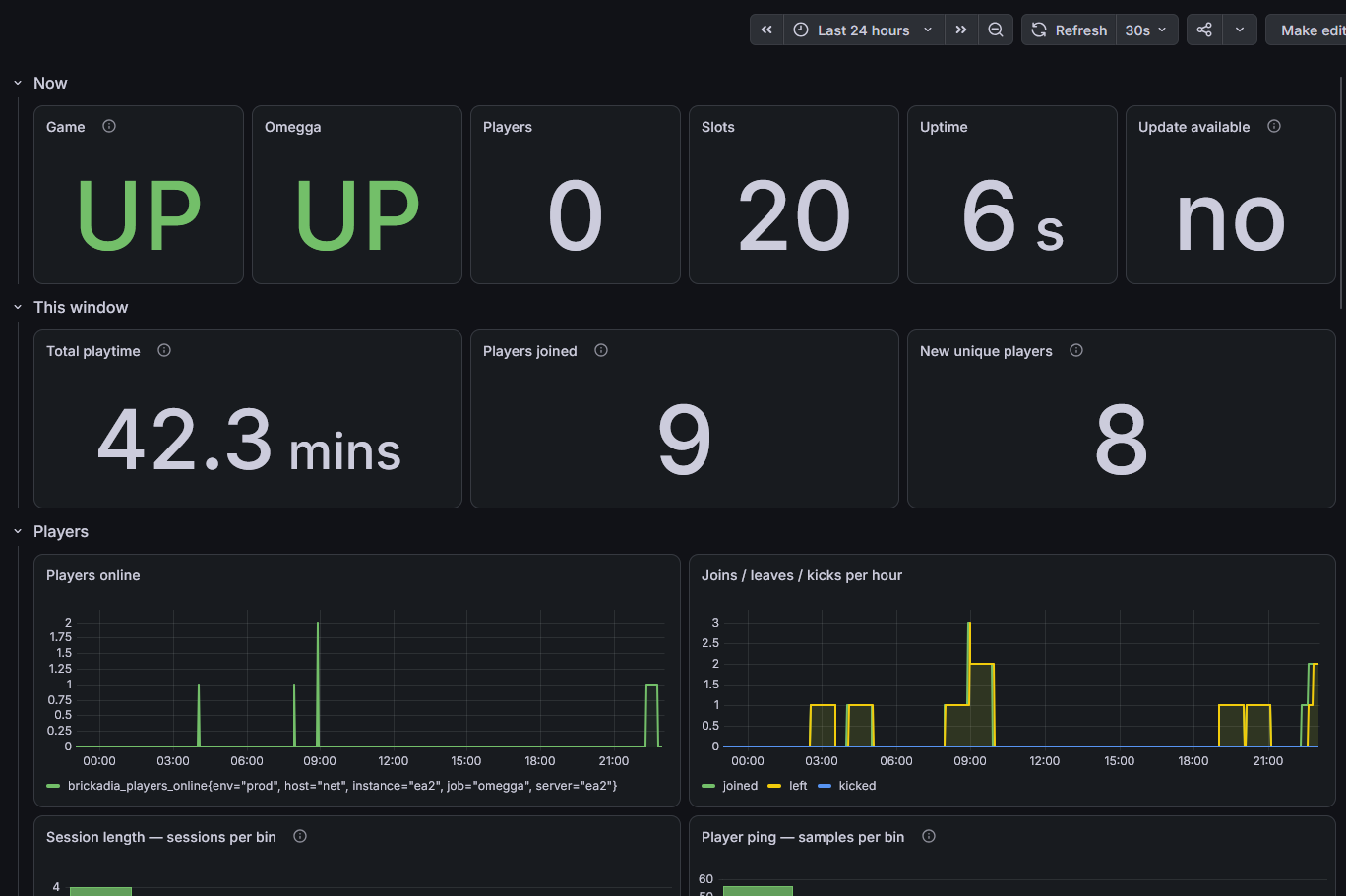
regardless. Grafana pointed at the same Prometheus works if you want dashboards
beyond the built-in ones.
The whole stack in compose
Running omegga in a container puts it on the same network as the scraper, so the metrics port never has to be published and the scraper reaches it by service name. VictoriaMetrics scrapes omegga itself and answers the queries the web UI makes, so there is one storage service rather than a buffer in front of a long term store.
Four files, in one directory:
.
├── compose.yaml
├── .env
├── omegga.token
├── scrape.yml
└── server/
    └── omegga-config.yml
server/ is the bind mount, so server/omegga-config.yml is what omegga sees
at /server/omegga-config.yml. Write it before the first up, or let omegga
generate a default one and edit it afterwards.
# compose.yaml
services:
  omegga:
    image: ghcr.io/brickadia-community/omegga:latest
    restart: unless-stopped
    stdin_open: true
    tty: true
    env_file: .env
    ports:
      - '${OMEGGA_PORT}:${OMEGGA_PORT}/tcp'
      - '${BRICKADIA_PORT}:${BRICKADIA_PORT}/udp'
    volumes:
      - home:/home/steam
      - ./server:/server

  victoriametrics:
    image: victoriametrics/victoria-metrics:v1.150.0
    restart: unless-stopped
    command:
      - '-storageDataPath=/storage'
      - '-retentionPeriod=2y'
      - '-httpListenAddr=:8428'
      - '-promscrape.config=/etc/vm/scrape.yml'
    volumes:
      - ./scrape.yml:/etc/vm/scrape.yml:ro
      - ./omegga.token:/etc/vm/omegga.token:ro
      - victoriametrics:/storage

volumes:
  home:
  victoriametrics:
# scrape.yml - the same scrape_configs prometheus takes
global:
  scrape_interval: 15s

scrape_configs:
  - job_name: omegga
    authorization:
      credentials_file: /etc/vm/omegga.token
    static_configs:
      - targets: ['omegga:9000']
        labels:
          instance: server-1
# server/omegga-config.yml
omegga:
  port: 8080
  webui: true
  https: true
server:
  port: 7777
  map: Plate
metrics:
  enabled: true
  # the container's own network interface, not the host's
  bind: 0.0.0.0
  port: 9000
  # the same string as ./omegga.token
  token: CHANGE_ME
  prometheus:
    enabled: true
    url: http://victoriametrics:8428
    instance: server-1
    retentionDays: 730
# .env, read for the ${...} in compose.yaml, and passed to the container
BRICKADIA_TOKEN=...
OMEGGA_PORT=8080
BRICKADIA_PORT=7777
PUID=1000
PGID=1000
# the token, with no trailing newline
printf '%s' 'CHANGE_ME' > omegga.token
chmod 600 omegga.token
Then docker compose up -d.
Why the metrics settings are in the config file rather than the environment:
metrics.token is the one field with no environment variable, and having half
the block in each place is worse than having all of it in one. METRICS_ENABLED,
METRICS_BIND, and METRICS_PORT still work if you would rather template them.
A few things this arrangement is doing on purpose:
- VictoriaMetrics publishes no port. It has no authentication, and its HTTP
API includes both writes and series deletion, so being unreachable is what
protects it. Add
ports: - '127.0.0.1:8428:8428'if you want its UI on the host; that keeps it off the network while making it reachable locally. - The metrics port is not published either, and does not need to be. Only
victoriametricstalks to it, over the compose network. The token is still set because omegga warns about an off-loopback bind without one, and because anything else you later attach to that network could otherwise read it. instance: server-1appears twice, in the scrape config and inmetrics.prometheus.instance. They have to agree or the dashboards query unfiltered and chart every scraped server at once. A second omegga is another service, anothertargetsentry, and a distinctinstance.- 2 year retention. You can edit
'-retentionPeriod=2y'to be longer.retentionDayshas to match whatever you set, since it caps how far back the web UI range picker reaches: leaving it at 15 would hide almost everything stored. Thevictoriametricsvolume is the one worth backing up.
VictoriaMetrics answers the same /api/v1/query and /api/v1/query_range that
omegga uses, which is why metrics.prometheus.url points at it directly. A
Prometheus in front of it, buffering and writing through with remote_write,
is a reasonable arrangement too, but it is a second service to run for storage
this already does.
Game metrics
| metric | type | description |
|---|---|---|
brickadia_server_info | gauge | Build and config as labels (version, server_name, map, steambeta, port); always 1 |
brickadia_up | gauge | 1 when the game is running with a map loaded, from its start/stop log events |
brickadia_status_responsive | gauge | 1 when the last status poll was answered; absent until one is attempted |
brickadia_server_state | gauge | State set: 1 on the active state of starting/running/stopping/stopped/updating |
brickadia_starting, brickadia_stopping, brickadia_updating | gauge | The same states as flat booleans, easier to alert on |
brickadia_uptime_seconds, brickadia_start_time_seconds | gauge | Uptime and last start |
brickadia_players_online, brickadia_players_max | gauge | Connected players and slots |
brickadia_bricks_count, brickadia_components_count | gauge | World contents |
brickadia_entities_count | gauge | Entities, when the game reports them |
brickadia_status_age_seconds | gauge | Age of the cached server status |
brickadia_update_available | gauge | Whether an update was found at the last check |
brickadia_update_check_timestamp_seconds, brickadia_last_update_timestamp_seconds | gauge | Last update check and last completed update |
brickadia_players_joined_total | counter | Player joins |
brickadia_players_joined_unique_total | counter | Distinct players since omegga started |
brickadia_players_left_total, brickadia_players_kicked_total | counter | Disconnects and kicks |
brickadia_players_banned_total | counter | Bans issued |
brickadia_bans_active, brickadia_bans_listed | gauge | Bans in force, and every ban list entry including expired ones |
brickadia_player_playtime_seconds_total | counter | Total player-seconds connected; accrues live, so in-progress sessions count |
brickadia_chat_messages_total | counter | Chat messages |
brickadia_commands_total, brickadia_unknown_commands_total | counter | Chat commands run |
brickadia_interactions_total | counter | Brick interactions |
brickadia_log_lines_total, brickadia_stderr_lines_total | counter | Game log throughput; a flatline is the earliest sign it has wedged |
brickadia_starts_total, brickadia_stops_total, brickadia_crashes_total | counter | Lifecycle events |
brickadia_map_changes_total, brickadia_autorestarts_total, brickadia_updates_total | counter | Map changes, autorestarts, updates |
brickadia_status_poll_failures_total | counter | Status polls that timed out or failed to parse |
brickadia_player_session_seconds | histogram | How long players stayed connected |
brickadia_player_ping_seconds | histogram | Player ping, sampled once per status poll |
brickadia_status_poll_duration_seconds | histogram | How long Server.Status took, a good proxy for game hitching |
brickadia_process_cpu_seconds_total | counter | CPU consumed by the game process (Linux) |
brickadia_process_resident_memory_bytes, brickadia_process_start_time_seconds, brickadia_process_open_fds | gauge | Game process stats from /proc (Linux) |
World stats come from a Server.Status console command, cached and refreshed at
most once per statusMaxAge seconds however many servers scrape. A scrape
serves the cache and refreshes in the background, so an unresponsive game reads
brickadia_up 0 instead of stalling the scrape. Any integer line in the status
header is exported as brickadia_<name>_count, so stats a future build starts
reporting appear on their own.
Omegga metrics
| metric | type | description |
|---|---|---|
omegga_build_info | gauge | Version, node version, platform, containerized; always 1 |
omegga_up, omegga_start_time_seconds | gauge | Liveness and start time |
omegga_webserver_up | gauge | Whether the web UI is serving |
omegga_plugins_scanned, omegga_plugins_enabled, omegga_plugins_loaded | gauge | Plugin counts |
omegga_plugin_info, omegga_plugin_loaded, omegga_plugin_enabled | gauge | Per-plugin state, labelled by plugin |
omegga_uncaught_exceptions_total | counter | Exceptions reaching the process handler |
omegga_unhandled_rejections_total | counter | Promise rejections reaching the process handler |
omegga_plugin_errors_total | counter | Plugin load, unload, and runtime failures, by plugin |
omegga_plugin_metrics_series | gauge | Series each plugin is exporting |
omegga_plugin_metrics_dropped_total, omegga_plugin_metrics_errors_total | counter | Plugin metrics hitting the limits, or whose collect() threw |
omegga_metrics_collect_errors_total | counter | Omegga’s own collectors that threw and were skipped |
omegga_host_cpu_ratio, omegga_host_memory_*, omegga_host_disk_* | gauge | Host utilization (sampled by the web UI heartbeat; absent when it is off) |
omegga_host_network_receive_bytes_total, omegga_host_network_transmit_bytes_total | counter | Host network totals (Linux) |
omegga_scrapes_total, omegga_scrape_duration_seconds | counter, histogram | The endpoint’s own stats |
Omegga exits after an uncaught exception, so a scrape usually will not catch
omegga_uncaught_exceptions_total incrementing; the target going down is the
signal. omegga_plugin_errors_total keeps a series for plugins that have since
unloaded, so a crash loop stays visible.
With defaultMetrics: true (the default) the standard process_* and
nodejs_* metrics are included under their conventional names.
Plugin metrics
Plugins get a metrics object as a fourth constructor argument, alongside
store. Everything registered is exported as
omegga_plugin_<plugin>_<metric>, with the plugin’s real name as a plugin
label.
import OmeggaPlugin, { OL, PS, PC, PM } from 'omegga';

export default class Plugin implements OmeggaPlugin<Config, Storage> {
  omegga: OL;
  config: PC<Config>;
  store: PS<Storage>;
  metrics: PM;

  constructor(omegga: OL, config: PC<Config>, store: PS<Storage>, metrics: PM) {
    this.omegga = omegga;
    this.config = config;
    this.store = store;
    this.metrics = metrics;
  }

  async init() {
    // omegga_plugin_my_plugin_kills_total{plugin="my plugin",weapon="pistol"}
    const kills = this.metrics.counter({
      name: 'kills_total',
      help: 'Kills by weapon',
      labels: ['weapon'],
    });
    this.omegga.on('cmd:kill', () => kills.inc({ weapon: 'pistol' }));

    // gauges push with set()/inc()/dec() or pull with collect()
    this.metrics
      .gauge({ name: 'queue_size', help: 'Queued' })
      .collect(() => this.queue.length);

    // histograms observe values, or time a block
    const done = this.metrics
      .histogram({ name: 'lookup_seconds', help: 'Lookups', buckets: [0.1, 1] })
      .startTimer();
    await this.lookup();
    done();
  }
}
A plugin’s metrics are dropped when it unloads or crashes, so a dead plugin’s
last values are never scraped as if live. A collect() that throws leaves that
metric at its last value and bumps omegga_plugin_metrics_errors_total, without
affecting the rest of the scrape. Worker and RPC plugin metrics render from the
last snapshot the host received and run no plugin code during a scrape, so a
hung plugin goes stale rather than delaying it.
Limits. At most 64 metrics per plugin, 1000 label combinations each, 8 label
names. Going over yields a no-op handle or a dropped series, counted by
omegga_plugin_metrics_dropped_total. Those limits are a backstop, not a
licence: never label with a player name, ID, brick, or position. Label
with things you can enumerate ahead of time.
RPC plugins push a metrics notification carrying the same snapshot, as
often as they like:
{
  "jsonrpc": "2.0",
  "method": "metrics",
  "params": [
    {
      "type": "counter",
      "name": "omegga_plugin_my_plugin_kills_total",
      "help": "Kills by weapon",
      "samples": [{ "labels": { "weapon": "pistol" }, "value": 12 }]
    }
  ]
}
Histogram families also carry buckets (ascending upper bounds); their samples
carry counts (one per bucket plus a trailing +Inf slot, not cumulative),
sum, and count. Names must start with the plugin’s own prefix.
Dashboards in the web UI
Omegga can also read those metrics back out of a Prometheus that scrapes it, and chart them in the web UI. Off unless configured:
metrics:
  prometheus:
    enabled: true
    url: http://127.0.0.1:9090
    instance: server-1 # the `instance` label identifying this omegga's series
Or METRICS_PROMETHEUS_ENABLED, _URL, _INSTANCE, _TIMEOUT. Also
available: timeout (seconds, default 3), cacheSeconds (default 15), and
retentionDays (default 15), which limits how far back the range picker
reaches.
Set instance to whatever your scrape config relabels this server to. Without
it every query runs unfiltered, so a Prometheus scraping two servers charts
both at once. Only [A-Za-z0-9_.:-] is accepted, because the value goes into a
PromQL label matcher.
A Metrics entry then appears in the nav for users holding any of the
metrics.* permissions, with four dashboards: players, server health,
plugins, and host health. Each has its own permission, so a moderator
can see player activity without seeing the machine. Panels can be hidden per
dashboard from the Panels menu; that choice is per browser. Hovering a panel
header explains what it measures.
Two things the UI does not do, deliberately:
- It never accepts PromQL from the browser. Panels are a fixed catalog in
dashboards.tsand the client asks for them by name. A Prometheus scraping omegga is usually scraping everything else its operator runs, so a pass-through?query=would make the web UI a read interface for all of it. - It never writes config. The connection is file and environment only.
If Prometheus is unreachable the dashboards say so instead of rendering empty
charts, and a panel whose query fails reports it in place without disturbing
the rest. “Reachable but holds nothing for this instance” gets its own message,
since the usual cause is a scrape config that relabels differently than
instance expects.
Plugins
Plugins are located in the plugins directory in an omegga config folder.
A plugin is a module that adds functionality to Omegga or a Brickadia server. An example is the autosaveez plugin, which lets users create and manage autosaves. More can be found in the #finished-plugins channel of the discord.
Omegga and plugins are not officially supported by Brickadia and may cease to function after any update.
Plugin types
Plugins can be created manually using the file structure described below, or
initialized automatically with omegga init-plugin. Follow the prompts and your
plugin will be generated for you.
init-plugin type | Main file | Notes |
|---|---|---|
safe (default) | omegga.plugin.js / .ts | The standard Node VM plugin. Runs in a VM inside a worker, so a crash does not take omegga down |
unsafe | omegga.main.js | Raw access to internal Omegga APIs, and the ability to crash them |
rpc | omegga_plugin | Any language that runs from one executable, over JSON-RPC on stdin/stdout |
rust | omegga_plugin | An RPC plugin built on the omegga-rs Rust interface |
Javascript is the easiest of these to develop in. Use JSON RPC to write plugins in other languages.
Everything below applies to all four.
Plugin Structure
All plugins are located in a plugins directory where you are running Omegga:
plugins/myPlugin- plugin folder (required)plugins/myPlugin/doc.json- plugin information (required)plugins/myPlugin/plugin.json- plugin version information, validated withomegga check(optional, for now)plugins/myPlugin/setup.sh- plugin setup script, run after installed byomegga install(optional)plugins/myPlugin/disable.omegga- empty file only present if the plugin should be disabled (optional)
Every plugin requires a doc.json file to document which briefly describes the plugin and its commands.
doc.json (example)
{
  "name": "My Plugin",
  "description": "Example Plugin",
  "author": "cake",
  "config": {
    "example-text": {
      "description": "This is an example text input",
      "default": "default value",
      "type": "string"
    },
    "example-password": {
      "description": "This is example text input hidden as a password",
      "default": "hidden password value",
      "type": "password"
    },
    "example-number": {
      "description": "This is an example numerical input",
      "default": 5,
      "type": "number"
    },
    "example-bool": {
      "description": "This is an example boolean input",
      "default": false,
      "type": "boolean"
    }
  },
  "commands": [
    {
      "name": "!ping",
      "description": "sends a pong to the sender",
      "example": "!ping foo bar",
      "args": [
        {
          "name": "args",
          "description": "random filler arguments",
          "required": false
        }
      ]
    },
    {
      "name": "!pos",
      "description": "announces player position",
      "example": "!pos",
      "args": []
    }
  ]
}
Plugin Config
This is an example config section of a doc.json. The web ui provides an interface for editing these configs.
{
  "config": {
    "example-text": {
      "description": "This is an example text input",
      "default": "default value",
      "type": "string"
    },
    "example-password": {
      "description": "This is example text input hidden as a password",
      "default": "hidden password value",
      "type": "password"
    },
    "example-number": {
      "description": "This is an example numerical input",
      "default": 5,
      "type": "number"
    },
    "example-bool": {
      "description": "This is an example boolean input",
      "default": false,
      "type": "boolean"
    },
    "example-list": {
      "description": "This is an example list input. List type can be string, password, number, or enum",
      "type": "list",
      "itemType": "string",
      "default": ["hello"]
    },
    "example-enum": {
      "description": "This is an example enum/dropdown input",
      "type": "enum",
      "options": ["foo", "bar", "baz", 1, 2, 3],
      "default": "foo"
    },
    "example-enum-list": {
      "description": "This is an example list of enums.",
      "type": "list",
      "itemType": "enum",
      "options": ["foo", "bar", "baz"],
      "default": ["foo"]
    },
    "example-players-list": {
      "description": "This is an example list of players.",
      "type": "players",
      "default": [
        {
          "id": "fa577b9e-f2be-493f-a30a-3789b02ba70b",
          "name": "Aware"
        }
      ]
    },
    "example-role": {
      "description": "This is an example role dropdown",
      "type": "role",
      "default": "Admin"
    }
  }
}
That config section would generate the following default config:
{
  "example-text": "default value",
  "example-password": "hidden password value",
  "example-number": 5,
  "example-bool": false,
  "example-list": ["hello"],
  "example-enum": "foo",
  "example-enum-list": ["foo"],
  "example-players-list": [
    { "id": "fa577b9e-f2be-493f-a30a-3789b02ba70b", "name": "Aware" }
  ]
}
This is provided to plugins in the constructor or the RPC init function.
Plugin File
This is an example plugin.json, located inside a plugin folder. The plugin file helps omegga know if the plugin is compatible with the current installation. Plugin files can be validated with the omegga check command.
{
  "formatVersion": 1,
  "omeggaVersion": ">=0.1.32",
  "emitConfig": "config.json",
  "dependencies": {
    "otherPlugin": "https://github.com/owner/repo",
    "requiredPlugin": { "optional": false },
    "optionalPlugin": { "optional": true, "repo": "https://github.com/owner/repo" }
  },
  "loadPriority": 0,
  "loadBefore": ["pluginToLoadAfterThis"],
  "loadAfter": ["pluginToLoadBeforeThis"]
}
formatVersion- indicates the plugin file format versionomeggaVersion- indicates compatible omegga versions (semver cheatsheet)emitConfig- optional, a path to a json file where plugin config will be saved to before the plugin starts.dependencies- optional, declares dependencies on other plugins- Can be a string specifying the GitHub repository URL (e.g.,
"otherPlugin": "https://github.com/owner/repo") - Can be an object with optional properties:
optional- iftrue, the plugin will load even if this dependency is missingrepo- GitHub repository URL where the dependency can be found (e.g.,"https://github.com/owner/repo")
- Dependencies are automatically loaded before the dependent plugin
- Can be a string specifying the GitHub repository URL (e.g.,
loadPriority- optional, numeric priority for load order (lower/negative numbers load earlier, higher/positive numbers load later, undefined loads in the middle)loadBefore- optional, array of plugin names that should load after this pluginloadAfter- optional, array of plugin names that should load before this plugin
Note: Omegga will automatically resolve the correct load order based on dependencies, loadPriority, loadBefore, and loadAfter constraints. If there’s a cyclic dependency or conflicting constraints, plugins may fail to load.
Plugin Store
All plugins have the capability to get/set values in a very lightweight “database”
The following asynchronous methods are provided:
| Method | Arguments | Description |
|---|---|---|
store.get | key (string) | Get an object from plugin store |
store.set | key (string), value (any) | Store an object in plugin store |
store.delete | key (string) | Remove an object from plugin store |
store.wipe | none | Remove all objects from plugin store |
store.count | none | Count number of objects in plugin store |
store.keys | none | Get keys for all objects in plugin store |
Example usage:
// simple add function
async function add() {
  const a = await store.get('foo');
  const b = await store.get('bar');
  await store.set('baz', a + b);
  await store.delete('foo');
  await store.delete('bar');
}

(async () => {
  // store foo and bar in the plugin store
  await Promise.all([store.set('foo', 5), store.set('bar', 2)]);

  // add foo and bar
  await add();

  // baz should be equal to 7
  console.log('assert', (await store.get('baz')) === 7);

  // demo of storing an object
  await store.set('example object', {
    foo: 'you can store objects in the store too',
    bar: "just don't expect it to work with anything recursive (cannot serialize)",
  });
})();
For Node Plugins, the store is the third argument passed into the constructor. For JSONRPC Plugins, the "store.get"/etc. methods can be used.
JSONRPC Note: store.set has an array of arguments ([key, value])
Plugin Metrics
Plugins get a metrics object as a fourth constructor argument, alongside
store. Counters, gauges, and histograms registered on it are exported from
omegga’s metrics endpoint as
omegga_plugin_<plugin>_<metric>. Handles are returned whether or not the
endpoint is enabled, so no guards are needed.
Plugin metrics covers the full API, the RPC
metrics notification, and the per-plugin limits.
What plugins can reach
- Omegga API for the server itself
- Player API for a specific player
- Events for reacting to what happens in game
- Log parsing for console output omegga does not already parse
- Plugin metrics for exporting Prometheus metrics of their own
Installing Plugins
CLI Installation
You can install plugins with the omegga install https://github.com/user/repo command.
You can install plugins using a shorthand omegga install gh:user/repo which will install the plugin located at https://github.com/user/omegga-repo (note the inserted omegga- prefix).
The available shorthands are gh for github.com and gl for gitlab.com
This is the recommended way of installing plugins as it automatically runs a setup script when present.
The same is available in the omegga console as /plugin install gh:user/repo.
Manual Installation
You can clone a plugin’s github repo inside the plugins folder (created when you run omegga for the first time):
cd pluginsto navigate to plugins foldergit clone https://github.com/user/repoto download the plugin- Make sure to read the plugin’s README file for after-install instructions
Updating Plugins
Plugins can be updated with omegga update, or with /plugin update in the omegga console:
# update all plugins
omegga update

# update plugins named "pluginName" and "anotherPluginName"
omegga update pluginName anotherPluginName
Updating pulls new commits for every installed plugin, or the ones named. It
skips a plugin with uncommitted changes, one on a branch other than
main/master, and one that is ahead of its remote.
Plugins may also need to be updated based on the project’s README file.
Uninstalling Plugins
Plugins can be installed by deleting the plugin’s respective folder:
rm -rf plugins/PLUGIN_NAME
Node VM Plugins
Node VM Plugins are what you should be using. They are run inside a VM inside a Worker. This means when they crash, they do not crash the whole server, and they can in the future have locked down permissions (disable filesystem access, etc.).
These plugins receive a “proxy” reference to omegga and have limited reach for what they can touch.
Register custom /commands by returning {registeredCommands: ['foo', 'bar']} (registers command /foo and /bar) in the async init() method.
By defining an async pluginEvent(event, from, ...args) method in your plugin class, you can respond to events from other plugins, where from is the name of the other plugin, event is the name of the custom event, and args is an array of any passed arguments.
Globals
OMEGGA_UTIL- access to thesrc/util/index.jsmoduleOmegga- access to the “proxy” omeggaconsole.log- and other variants (console.error,console.info) print specialized output to console
Folder Structure
In a plugins directory create the following folder structure:
plugins/myPlugin- plugin folder (required)plugins/myPlugin/omegga.plugin.js- js plugin main file (required)plugins/myPlugin/doc.jsonplugins/myPlugin/access.json- plugin access information (required, but doesn’t have to have anything right now). this will contain what things the vm will need to access
access.json (examples)
Access to any builtin modules (fs, path, etc.)
["*"]
Access to nothing - only the code in the omegga.plugin.js
[]
Access to only fs, (const fs = require('fs');)
["fs"]
omegga.plugin.js (example)
class PluginName {
  // the constructor also contains an omegga if you don't want to use the global one
  // config and store variables are optional but provide access to the plugin data store
  constructor(omegga, config, store) {
    this.omegga = omegga;
    this.config = config;
    this.store = store;
    console.info('constructed my plugin!');
  }

  async init() {
    Omegga.on('chatcmd:ping', (name, ...args) => {
      Omegga.broadcast(`pong @ ${name} + ${args.length} args`);
    }).on('chatcmd:pos', async name => {
      const [x, y, z] = await Omegga.getPlayer(name).getPosition();
      Omegga.broadcast(`<b>${name}</> is at ${x} ${y} ${z}`);
    });
  }

  async stop() {
    // any remove events are not necessary because the VM removes the code
  }
}

module.exports = PluginName;
omegga.plugin.ts (example)
Be sure to put .build/ and node_modules/ in your .gitignore
Requires a tsconfig.json:
{
  "compilerOptions": {
    "noEmit": true,
    "esModuleInterop": true,
    "moduleResolution": "node",
    "resolveJsonModule": true,
    "target": "es2020",
    "baseUrl": ".",
    "paths": {
      "omegga/*": ["node_modules/omegga/dist/*"]
    }
  }
}
omegga.plugin.ts:
import type { OmeggaPlugin, OL, PS, PC } from 'omegga/plugin';

type Config = { foo: string };
type Storage = { bar: string };

export default class Plugin implements OmeggaPlugin<Config, Storage> {
  omegga: OL;
  config: PC<Config>;
  store: PS<Storage>;

  constructor(omegga: OL, config: PC<Config>, store: PS<Storage>) {
    this.omegga = omegga;
    this.config = config;
    this.store = store;
  }

  async init() {
    // Write your plugin!
    this.omegga.on('cmd:test', (speaker: string) => {
      this.omegga.broadcast(`Hello, ${speaker}!`);
    });

    return { registeredCommands: ['test'] };
  }

  async stop() {
    // Anything that needs to be cleaned up...
  }
}
See also
- Plugin structure for
doc.json,plugin.json, config, and the store - Omegga, Player, and Events for what the plugin can reach
- Plugin metrics for exporting your own Prometheus metrics
Node Plugins
Node plugins are effectively require’d into omegga. They have the potential to crash the entire service through uncaught exceptions and also can be insecure. Develop and run these at your own risk - your server stability may suffer.
These plugins receive a direct reference to the omegga that wraps the brickadia server. As a result, they can directly modify how omegga runs.
Cleanup is important as code can still be running after the plugin is unloaded resulting in strange and undefined behavior. Make sure to run clearInterval and clearTimeout
Register custom /commands by returning {registeredCommands: ['foo', 'bar']} (registers command /foo and /bar) in the async init() method.
By defining an async pluginEvent(event, from, ...args) method in your plugin class, you can respond to events from other plugins, where from is the name of the other plugin, event is the name of the custom event, and args is an array of any passed arguments.
Globals
OMEGGA_UTIL- access to thesrc/util/index.jsmodule
Folder Structure
In a plugins directory create the following folder structure:
plugins/myPlugin- plugin folder (required)plugins/myPlugin/doc.jsonplugins/myPlugin/omegga.main.js- js plugin main file (required)
omegga.main.js (example)
class PluginName {
  // config and store variables are optional but provide access to the plugin data store
  constructor(omegga, config, store) {
    this.omegga = omegga;
    this.config = config;
    this.store = store;
  }

  async init() {
    this.omegga
      .on('chatcmd:ping', (name, ...args) => {
        this.omegga.broadcast(`pong @ ${name} + ${args.length} args`);
      })
      .on('chatcmd:pos', async name => {
        const [x, y, z] = await this.omegga.getPlayer(name).getPosition();
        this.omegga.broadcast(`<b>${name}</> is at ${x} ${y} ${z}`);
      });
  }

  async stop() {
    this.omegga
      .removeAllListeners('chatcmd:ping')
      .removeAllListeners('chatcmd:pos');
  }

  // optional: respond to events from other plugins
  async pluginEvent(event, from, ...args) {
    if (event === 'greeting') {
      return `Hello from ${from}!`;
    }
  }
}

module.exports = PluginName;
See also
- Plugin structure for
doc.json,plugin.json, config, and the store - Omegga, Player, and Events for what the plugin can reach
- Plugin metrics for exporting your own Prometheus metrics
JSON RPC Plugins
JSON RPC Plugins let you use any language you desire, as long as you can run it from a single executable file. They follow the JSON-RPC 2.0 Specification
The server communicates with the plugin by sending messages to stdin and expects responses in stdout. All stderr is printed to the console.
Register custom /commands by returning {registeredCommands: ['foo', 'bar']} (registers command /foo and /bar) in the init method.
Omegga Methods (You can access these)
| Method | Arguments | Description | Returns |
|---|---|---|---|
log | line (string) | Prints message to omegga console | |
error | line (string) | Same as log but with different colors | |
info | line (string) | Same as log but with different colors | |
debug | line (string) | Same as log but with different colors | |
warn | line (string) | Same as log but with different colors | |
trace | line (string) | Same as log but with different colors | |
store.get | key (string) | Get an object from plugin store | Object |
store.set | [key (string), value (any)] | Store an object in plugin store | |
store.delete | key (string) | Remove an object from plugin store | |
store.wipe | none | Remove all objects from plugin store | |
store.count | none | Count number of objects in plugin store | Integer |
store.keys | none | Get keys for all objects in plugin store | List of Strings |
exec | cmd (string) | Writes a console command to Brickadia | |
writeln | cmd (string) | Same as exec | |
broadcast | line (string) | Broadcasts a message to the server | |
whisper | {target: string, line: string} | Sends a message to a specific client | |
middlePrint | {target: string, line: string} | Sends a middle print message to a specific client | |
getPlayers | none | Online players | List of Players |
getAllPlayerPositions | none | An array of objects with fields pos and player. | List of { Player Object(…), Position(…), isDead(bool) } |
getRoleSetup | none | Server roles | JSON Data |
getBanList | none | List of bans | JSON Data |
getSaves | none | Saves in the saves directory | List Strings |
getSavePath | name (string) | The path to a specific save | String |
getSaveData | none | Current save as brs-js data | BRS Object |
clearBricks | {target: string, quiet: bool} | Clears a specific player’s bricks | |
clearAllBricks | quiet | Clears all bricks on the server | |
saveBricks | name (string) | Save bricks to a save named name | |
loadBricks | {name: string, offX, offY, offY, quiet: bool} | Load bricks of save named name | |
loadBricksOnPlayer | {name: string, player: string, offX, offY, offY} | Load bricks of save named name on player clipboard | |
readSaveData | name (string) | Parses save into a brs-js save object, returns the object | BRS Object |
loadSaveData | {data: object, offX, offY, offY, quiet: bool} | Builds brs file from data, loads the file | |
loadSaveDataOnPlayer | {data: object, player: string, offX, offY, offY} | Builds brs file from data, loads the file onto a player’s clipboard | |
changeMap | map (string) | Change map to specified map name, returns success | Boolean |
player.get | target (string) | Gets the player by their name or UUID. | {name, id, controller, state, host: bool} |
player.getRoles | target (string) | Target’s roles | List of Strings |
player.getPermissions | target (string) | Target’s permissions | Record<string, boolean> |
player.getNameColor | target (string) | Target’s name color | RGB Hex String |
player.getPosition | target (string) | Target’s position | [number, number, number] or null |
player.getPawn | target (string) | Target’s pawn name | string or null |
player.getGhostBrick | target (string) | Target’s ghost brick | {targetGrid, location, orientation} |
player.getPaint | target (string) | Target’s current paint selection | {materialIndex, materialAlpha, material, color} |
player.isCrouched | target (string) | Check if target is crouched | boolean |
player.isDead | target (string) | Check if target is dead | boolean |
player.getTemplateBounds | target (string) | Target’s template/selection bounds | {minBound, maxBound, center} |
player.getTemplateBoundsData | target (string) | Target’s template/selection as brs-js save data | BRS Object |
player.clearBricks | {target, quiet} | Clears target’s bricks | |
player.loadBricks | {target, saveName} | Loads save file to target’s clipboard | |
player.loadSaveData | {target, data, offX, offY, offZ} | Loads brs-js save data to target’s clipboard | |
player.loadDataAtGhostBrick | {target, data, rotate=true, offX, offY, offZ, quiet} | Loads brs-js save data at target’s selection bounds | |
player.kill | target (string) | Kills the target player | |
player.damage | {target, amount} | Damages target by amount | |
player.heal | {target, amount} | Heals target by amount | |
player.giveItem | {target, item} | Gives target an item | |
player.takeItem | {target, item} | Removes item from target | |
player.setTeam | {target, teamIndex} | Sets target’s team | |
player.setMinigame | {target, index} | Adds target to minigame at index | |
player.setScore | {target, minigameIndex, score} | Sets target’s score in minigame | |
player.getScore | target (string) | Gets target’s score in minigame | number |
player.setLeaderboard | {target, key, value} | Sets leaderboard value for target | |
player.getLeaderboard | target (string) | Gets leaderboard value for target | number or null |
plugin.get | target (string) | Gets info on the target plugin | Object |
plugin.emit | [target (string), event (string), …args (any)] | Emit a custom event to the target plugin |
Plugin Methods (You implement these)
| Method | Arguments | Description | Required |
|---|---|---|---|
init | config object | Returns a start result, called on plugin start | ☑ |
stop | none | Returns something, called on plugin stop | ☑ |
bootstrap | [{ omegga info (host, version, etc) }] | Run when plugin is started for base data | |
plugin:players:raw | [[… [player username, displayName, id, controller, state]]] | Lists players on the server | |
plugin:emit | [event, from, …args] | Fired when another plugin sends an event | |
line | [brickadiaLog string] | A brickadia console log | |
start | [{map}] | On brickadia server start | |
host | [{name, id}] | When the host is detected | |
version | [-1 or the CL number] | When the version is detected | |
unauthorized | none | On brickadia server fails an auth check | |
join | [{name, id, state, controller}] | Run when a player joins | |
leave | [{name, id, state, controller}] | Run when a player leaves | |
cmd:command | [playerName, …args] | Runs when a player runs a /command args | |
chatcmd:command | [playerName, …args] | Runs when a player runs a !command args | |
chat | [playerName, message] | Runs when a player sends a chat message | |
interact | {brick_asset: string;player: { id: string; name: string; controller: string; pawn: string };position: [number, number, number];} | Runs when a player clicks a brick with an interact component. data is parsed JSON if line (from interact component) starts with “json:{“your”: “json”}`. Uses interact log field | |
event:NAME | [>player from click<, …args] | Runs when an interact component has `event:NAME: arg1,arg2,arg,3, | |
mapchange | [{map}] | Runs when the map changes | |
autorestart | [autorestart config] | Runs server has an autorestart scheduled | |
minigamejoin | {player: {name, id}; minigameName: string} | Deprecated as of EA3. Runs when a player joins a minigame. Note that minigameName is not unique between minigames. minigameName will be null if player leaves all minigames. This will run before join | |
wirelog | [raw string] | Runs when a [Wire Graph] log line is emitted. raw is the text after the [Wire Graph] prefix | |
wirecmd:command | […args] | Runs when a [Wire Graph] log starts with command args. command is lowercased; args are the remaining space-separated words |
Folder Structure
In a plugins directory create the following folder structure:
plugins/myPlugin- plugin folder (required)plugins/myPlugin/doc.jsonplugins/myPlugin/omegga_plugin- executable plugin file (required)
omegga_plugin (example, node javascript)
#!/usr/bin/env node

const readline = require('readline');
const { EventEmitter } = require('events');
const {
  JSONRPCServer,
  JSONRPCServerAndClient,
  JSONRPCClient,
} = require('json-rpc-2.0');

// events
const ev = new EventEmitter();

// stdio handling
const rl = readline.createInterface({
  input: process.stdin,
  output: process.stdout,
  terminal: false,
});

// rpc "server and client" for responding/receiving messages
const rpc = new JSONRPCServerAndClient(
  new JSONRPCServer(),
  // the client outputs JSON to console
  new JSONRPCClient(async blob => console.log(JSON.stringify(blob)))
);

// on stdin, pass into rpc
rl.on('line', line => {
  try {
    rpc.receiveAndSend(JSON.parse(line));
  } catch (e) {
    console.error(e);
  }
});

// regexes for matching brickadia console logs
const GENERIC_LINE_REGEX =
  /^(\[(?<date>\d{4}\.\d\d.\d\d-\d\d.\d\d.\d\d:\d{3})\]\[\s*(?<counter>\d+)\])?(?<generator>\w+): (?<data>.+)$/;
const LOG_LINE_REGEX =
  /\[(?<date>\d{4}\.\d\d.\d\d-\d\d.\d\d.\d\d:\d{3})\]\[\s*(?<counter>\d+)\](?<rest>.*)$/;

ev.on('line', line => {
  const logMatch = line.match(LOG_LINE_REGEX);
  if (!logMatch) return;
  const {
    groups: { rest },
  } = logMatch;
  const dataMatch = rest.match(GENERIC_LINE_REGEX);
  if (dataMatch) ev.emit('logData', dataMatch.groups);
  else ev.emit('logLine', rest);
});

// list of players
let players;

// get a player by name
const getPlayer = name => players.find(p => p.name === name);

// watch console logs for a pattern, then remove the listener
function watch(exec, pattern) {
  return new Promise(resolve => {
    function listener(line) {
      const match = line.match(pattern);
      // listener removes itself on a match
      if (match) {
        ev.off('logLine', listener);
        resolve(match.groups);
      }
    }
    // add the listener
    ev.on('logLine', listener);

    // run the console command
    rpc.notify('writeln', exec);
  });
}

// get a player's position
async function getPlayerPos(name) {
  const player = getPlayer(name);
  if (!player) return;

  // get player position from player controller
  const pawnRegExp = new RegExp(
    `BP_PlayerController_C .+?PersistentLevel\\.${player.controller}\.Pawn = BP_FigureV2_C'.+?:PersistentLevel.(?<pawn>BP_FigureV2_C_\\d+)'`
  );
  const { pawn } = await watch(
    `GetAll BP_PlayerController_C Pawn Name=${player.controller}`,
    pawnRegExp
  );

  // get player position from pawn
  const posRegExp = new RegExp(
    `CapsuleComponent .+?PersistentLevel\\.${pawn}\\.CollisionCylinder\\.RelativeLocation = \\(X=(?<x>[\\d\\.-]+),Y=(?<y>[\\d\\.-]+),Z=(?<z>[\\d\\.-]+)\\)`
  );
  const { x, y, z } = await watch(
    `GetAll SceneComponent RelativeLocation Name=CollisionCylinder Outer=${pawn}`,
    posRegExp
  );

  return [x, y, z].map(Number);
}

// emit a console log
const log = (...args) => rpc.notify('log', args.join(' '));

// when available players updates - plugin:players:raw is emitted
rpc.addMethod('plugin:players:raw', ([playerArr]) => {
  // update the players list
  players = playerArr.map(p => ({
    name: p[0],
    id: p[1],
    controller: p[2],
    state: p[3],
  }));
});

// ping command
rpc.addMethod('chatcmd:ping', ([name, ...args]) => {
  rpc.notify('broadcast', `pong @ ${name} + ${args.length} args`);
});

// player position command
rpc.addMethod('chatcmd:pos', async ([name]) => {
  log('player', name, 'requests position');
  const [x, y, z] = await getPlayerPos(name);
  rpc.notify('broadcast', `<b>${name}</> is at ${x} ${y} ${z}`);
});

// pass lines into the event emitter
rpc.addMethod('line', ([line]) => {
  ev.emit('line', line);
});

// receive config object in init
rpc.addMethod('init', async ([config]) => ({ registeredCommands: [] }));
rpc.addMethod('stop', async () => 'ok');
See also
- Plugin structure for
doc.json,plugin.json, config, and the store - Events for what each event carries
- Plugin metrics for exporting your own Prometheus metrics
API
What a plugin can reach. The Omegga, Player,
Plugin, and Types pages are generated from the
declarations in src/plugin.ts,
which is also what ships as omegga.d.ts for typescript plugins.
| Omegga | the server: players, bricks, saves, chat, minigames |
| Player | one player: position, roles, paint, clipboard |
| Plugin | what a plugin class implements, and its config, store, and metrics |
| Events | what omegga emits as the server runs |
| Types | the shapes the above return |
| Log parsing | reading console output omegga does not already parse |
JSON RPC plugins reach the same functionality through method names rather than these interfaces; that page has its own table.
Save data is brs-js
SaveData.
Omegga API
The Omegga global (and the omegga passed to a plugin constructor)
implements OmeggaLike. It is an event emitter, so everything in
Events is available on it too.
OmeggaLike
Extends OmeggaCore, LogWrangling, InjectedCommands, MockEventEmitter.
| Property | Type | Description |
|---|---|---|
version | number | game CL version |
Console | ConsoleCommands | version-resolved Brickadia console command names, nested by namespace. e.g. Omegga.Console.Bricks.Clear resolves to the command string for the running game version (“Bricks.Clear” or “br.Bricks.Clear”) |
verbose | boolean | verbose logging is enabled |
players | OmeggaPlayer[] | list of players |
host? | { id: string; name: string } | server host |
started | boolean | server is started |
starting | boolean | server is starting |
stopping | boolean | server is stopping |
currentMap | string | current map |
configPath | string | path to config files |
savePath | string | path to saves |
worldPath | string | path to worlds |
prefabPath | string | path to prefabs |
presetPath | string | path to presets |
path | string | path to containing dir |
binaryPath | string | null | path to the directory containing the game server binary - null when the install is launcher-managed and the binary location isn’t known |
writeln
writeln(line: string): void
getPlugin
getPlugin(name: string): Promise<PluginInterop | null>
get a plugin’s name, documentation, and loaded status If run in an unsafe plugin, the emitPlugin method sends events from an “unsafe” plugin
Declared in src/plugin.ts.
OmeggaCore
getPlayers
getPlayers(): { id: string; name: string; displayName: string; controller: string; state: string; }[]
get a list of players
Returns list of players {id: uuid, name: name} objects
getPlayer
getPlayer(target: string): OmeggaPlayer | null
find a player by name, id, controller, or state
| Param | Type | Description |
|---|---|---|
target | string | name, id, controller, or state |
findPlayerByName
findPlayerByName(name: string): OmeggaPlayer | null
find a player by rough name, prioritize exact matches and get fuzzier
| Param | Type | Description |
|---|---|---|
name | string | player name, fuzzy |
getHostId
getHostId(): string
get the host’s ID
Returns Host Id
broadcast
broadcast(...messages: string[]): void
broadcast messages to chat messages are broken by new line multiple arguments are additional lines all messages longer than 512 characters are deleted automatically, though omegga wouldn’t have sent them anyway
| Param | Type | Description |
|---|---|---|
...messages | string[] | unescaped chat messages to send. may need to wrap messages with quotes |
whisper
whisper(target: string | OmeggaPlayer, ...messages: string[]): void
whisper messages to a player’s chat messages are broken by new line multiple arguments are additional lines all messages longer than 512 characters are deleted automatically, though omegga wouldn’t have sent them anyway
| Param | Type | Description |
|---|---|---|
target | string | OmeggaPlayer | player identifier or player object |
...messages | string[] | unescaped chat messages to send. may need to wrap messages with quotes |
middlePrint
middlePrint(target: string | OmeggaPlayer, message: string): void
prints text to the middle of a player’s screen all messages longer than 512 characters are deleted automatically
| Param | Type | Description |
|---|---|---|
target | string | OmeggaPlayer | player identifier or player object |
message | string | unescaped chat messages to send. may need to wrap messages with quotes |
saveMinigame
saveMinigame(index: number, name: string): void
Save a minigame preset based on a minigame index
| Param | Type | Description |
|---|---|---|
index | number | minigame index |
name | string | preset name |
deleteMinigame
deleteMinigame(index: number): void
Delete a minigame
| Param | Type | Description |
|---|---|---|
index | number | minigame index |
resetMinigame
resetMinigame(index: number): void
Reset a minigame
| Param | Type | Description |
|---|---|---|
index | number | minigame index |
nextRoundMinigame
nextRoundMinigame(index: number): void
Force the next round in a minigame
| Param | Type | Description |
|---|---|---|
index | number | minigame index |
loadMinigame
loadMinigame(presetName: string, owner?: string): void
Load an Minigame preset
| Param | Type | Description |
|---|---|---|
presetName | string | preset name |
owner | string | owner id/name |
getMinigamePresets
getMinigamePresets(): string[]
Get all presets in the minigame folder and child folders
resetEnvironment
resetEnvironment(): void
Reset the environment settings
saveEnvironment
saveEnvironment(presetName: string): Promise<void>
Save an environment preset
| Param | Type | Description |
|---|---|---|
presetName | string | preset name |
getEnvironmentData
getEnvironmentData(): Promise<EnvironmentPreset | null>
Save a temporary environment preset and return its contents
readEnvironmentData
readEnvironmentData(presetName: string): EnvironmentPreset | null
Read environment data as json; null when the preset is missing or invalid
| Param | Type | Description |
|---|---|---|
presetName | string | preset name |
loadEnvironment
loadEnvironment(presetName: string): void
Load an environment preset
| Param | Type | Description |
|---|---|---|
presetName | string | preset name |
loadEnvironmentData
loadEnvironmentData(preset: | EnvironmentPreset | NonNullable<EnvironmentPreset['data']>['groups']): void
Load some environment preset data
| Param | Type | Description |
|---|---|---|
preset | | EnvironmentPreset | NonNullable<EnvironmentPreset['data']>['groups'] | preset data |
getEnvironmentPresets
getEnvironmentPresets(): string[]
Get all presets in the environment folder and child folders
clearBricks
clearBricks(target: string | { id: string }, quiet?: boolean): void
Clear a user’s bricks (by uuid, name, controller, or player object)
| Param | Type | Description |
|---|---|---|
target | string | { id: string } | player or player identifier |
quiet | boolean | quietly clear bricks |
clearRegion
clearRegion(region: { center: [number, number, number]; extent: [number, number, number]; }, options?: { target?: string | OmeggaPlayer; bricks?: boolean; entities?: boolean; }): void
Clear a region of bricks. On EA3 this routes to br.World.ClearRegion
and can optionally clear entities too.
| Param | Type | Description |
|---|---|---|
region | { center: [number, number, number]; extent: [number, number, number]; } | region to clear |
options | { target?: string | OmeggaPlayer; bricks?: boolean; entities?: boolean; } | optional settings |
clearAllBricks
clearAllBricks(options?: | boolean | { quiet?: boolean; bricks?: boolean; entities?: boolean }): void
Clear all bricks on the server. On EA3 this routes to
br.World.ClearAll and can optionally clear entities too. A bare boolean
is accepted as the legacy quiet argument.
| Param | Type | Description |
|---|---|---|
options | | boolean | { quiet?: boolean; bricks?: boolean; entities?: boolean } | quiet (or { quiet, bricks, entities }) |
saveBricks
saveBricks(saveName: string, region?: { center: [number, number, number]; extent: [number, number, number]; }): void
Deprecated. removed in Brickadia EA3 (no-op on newer servers) - save a
prefab with savePrefabRegion instead
Save bricks under a filename
| Param | Type | Description |
|---|---|---|
saveName | string | save file name |
region | { center: [number, number, number]; extent: [number, number, number]; } | region of bricks to save |
saveBricksAsync
saveBricksAsync(saveName: string, region?: { center: [number, number, number]; extent: [number, number, number]; }): Promise<void>
Deprecated. removed in Brickadia EA3 (no-op on newer servers) - save a
prefab with savePrefabRegion instead
Save bricks under a filename, with a promise
| Param | Type | Description |
|---|---|---|
saveName | string | save file name |
region | { center: [number, number, number]; extent: [number, number, number]; } | region of bricks to save |
loadBricks
loadBricks(saveName: string, options?: { offX?: number; offY?: number; offZ?: number; quiet?: boolean; correctPalette?: boolean; correctCustom?: boolean; }): void
Deprecated. removed in Brickadia EA3 (no-op on newer servers) - load a
prefab with loadPrefab instead
Load bricks on the server
loadBricksOnPlayer
loadBricksOnPlayer(saveName: string, player: string | OmeggaPlayer, options?: { offX?: number; offY?: number; offZ?: number; correctPalette?: boolean; correctCustom?: boolean; }): void
Deprecated. removed in Brickadia ~EA2 (no-op on newer servers) - use
loadPrefabOnPlayer instead
Load bricks on the server into a player’s clipbaord
getSaves
getSaves(): string[]
Get all saves in the save folder and child folders
getSavePath
getSavePath(saveName: string): string | undefined
Checks if a save exists and returns an absolute path
| Param | Type | Description |
|---|---|---|
saveName | string | Save filename |
Returns Path to string, undefined if the save does not exist
getWorlds
getWorlds(): string[]
Get all worlds in the worlds folder and child folders
getWorldPath
getWorldPath(worldName: string): string | undefined
Checks if a world exists and returns an absolute path
| Param | Type | Description |
|---|---|---|
worldName | string | World name |
Returns Path to string, undefined if the world does not exist
getWorldRevisions
getWorldRevisions(worldName: string): Promise<{ index: number; date: Date; note: string }[]>
Get a list of revisions for a world
| Param | Type | Description |
|---|---|---|
worldName | string | World name |
loadWorld
loadWorld(worldName: string): Promise<boolean>
Load a world by its name
| Param | Type | Description |
|---|---|---|
worldName | string | World name |
loadWorldRevision
loadWorldRevision(worldName: string, revision: number): Promise<boolean>
Load a world at a specific revision
| Param | Type | Description |
|---|---|---|
worldName | string | World name |
revision | number |
saveWorldAs
saveWorldAs(worldName: string): Promise<boolean>
Save a world as a new name
| Param | Type | Description |
|---|---|---|
worldName | string | World name |
saveWorld
saveWorld(): Promise<boolean>
Save the current world
createEmptyWorld
createEmptyWorld(worldName: string): Promise<boolean>
Create an empty world with the given name
writeSaveData
writeSaveData(saveName: string, saveData: WriteSaveObject): void
unsafely load save data (wrap in try/catch)
| Param | Type | Description |
|---|---|---|
saveName | string | save file name |
saveData | WriteSaveObject | BRS JS Save data |
readSaveData
readSaveData(saveName: string, nobricks?: boolean): ReadSaveObject
unsafely read save data (wrap in try/catch)
| Param | Type | Description |
|---|---|---|
saveName | string | save file name |
nobricks | boolean | only read save header data |
Returns BRS JS Save Data
loadSaveData
loadSaveData(saveData: WriteSaveObject, options?: { offX?: number; offY?: number; offZ?: number; quiet?: boolean; correctPalette?: boolean; correctCustom?: boolean; }): Promise<void>
Deprecated. removed in Brickadia EA3 (no-op on newer servers) - use the
prefab API (loadPrefab) instead
load bricks from save data and resolve when game finishes loading
| Param | Type | Description |
|---|---|---|
saveData | WriteSaveObject | BRS JS Save data |
options | { offX?: number; offY?: number; offZ?: number; quiet?: boolean; correctPalette?: boolean; correctCustom?: boolean; } |
loadSaveDataOnPlayer
loadSaveDataOnPlayer(saveData: WriteSaveObject, player: string | OmeggaPlayer, options?: { offX?: number; offY?: number; offZ?: number; correctPalette?: boolean; correctCustom?: boolean; }): Promise<void>
Deprecated. removed in Brickadia ~EA2 (no-op on newer servers) - use the
prefab API (loadPrefabOnPlayer) instead
load bricks from save data and resolve when game finishes loading
| Param | Type | Description |
|---|---|---|
saveData | WriteSaveObject | BRS JS Save data |
player | string | OmeggaPlayer | Player name/id or player object |
options | { offX?: number; offY?: number; offZ?: number; correctPalette?: boolean; correctCustom?: boolean; } |
getSaveData
getSaveData(region?: { center: [number, number, number]; extent: [number, number, number]; }): Promise<ReadSaveObject | undefined>
Deprecated. removed in Brickadia EA3 (returns undefined on newer servers) - use the prefab API instead
get current bricks as save data
getPrefabs
getPrefabs(): string[]
Get all prefabs in the prefabs folder and child folders (EA3)
getPrefabPath
getPrefabPath(prefabName: string): string | undefined
Checks if a prefab exists and returns an absolute path (EA3)
| Param | Type | Description |
|---|---|---|
prefabName | string | Prefab filename |
Returns Path to string
loadPrefab
loadPrefab(path: string, options?: { offX?: number; offY?: number; offZ?: number; atOriginalPosition?: boolean; orientation?: number; rootEntityPersistentIndex?: number; mirrorAxes?: number; overrideUserId?: string; }): void
Load a prefab into the world (EA3). path is a bundle path ref such
as Prefabs/Uploads/<hash>.brz.
| Param | Type | Description |
|---|---|---|
path | string | prefab bundle path ref |
options | { offX?: number; offY?: number; offZ?: number; atOriginalPosition?: boolean; orientation?: number; rootEntityPersistentIndex?: number; mirrorAxes?: number; overrideUserId?: string; } | placement options (offset, orientation, mirror axes, etc) |
savePrefab
savePrefab(path: string, options?: { region?: { center: [number, number, number]; extent: [number, number, number]; }; entities?: boolean; rootEntityPersistentIndex?: number; userId?: string; }): void
Save the world (or a region of it) as a prefab (EA3).
| Param | Type | Description |
|---|---|---|
path | string | destination prefab bundle path ref (e.g. Prefabs/MyPrefab.brz) |
options | { region?: { center: [number, number, number]; extent: [number, number, number]; }; entities?: boolean; rootEntityPersistentIndex?: number; userId?: string; } | save options; omit region to capture the whole world. userId limits the save to one user’s bricks and entities; it defaults the root to the main world grid unless rootEntityPersistentIndex is set |
savePrefabAsync
savePrefabAsync(path: string, options?: { region?: { center: [number, number, number]; extent: [number, number, number]; }; entities?: boolean; rootEntityPersistentIndex?: number; userId?: string; }): Promise<string | null>
Save a prefab and resolve once the prefab file has been written to disk (EA3).
| Param | Type | Description |
|---|---|---|
path | string | destination prefab bundle path ref |
options | { region?: { center: [number, number, number]; extent: [number, number, number]; }; entities?: boolean; rootEntityPersistentIndex?: number; userId?: string; } | same options as savePrefab |
Returns absolute path to the written prefab, or null on timeout
givePrefabToPlayer
givePrefabToPlayer(path: string, player: string | OmeggaPlayer, options?: { preserveOwnership?: boolean }): void
Give a prefab to a player’s inventory (EA3).
| Param | Type | Description |
|---|---|---|
path | string | prefab bundle path ref |
player | string | OmeggaPlayer | player name/id or player object |
options | { preserveOwnership?: boolean } | give options (preserve ownership) |
loadPrefabOnPlayer
loadPrefabOnPlayer(path: string, player: string | OmeggaPlayer, options?: { preserveOwnership?: boolean }): void
Load a prefab onto a player (EA3, replaces loadBricksOnPlayer).
| Param | Type | Description |
|---|---|---|
path | string | prefab bundle path ref |
player | string | OmeggaPlayer | player name/id or player object |
options | { preserveOwnership?: boolean } | give options (preserve ownership) |
changeMap
changeMap(map: string): Promise<boolean>
Change server map
| Param | Type | Description |
|---|---|---|
map | string | Map name |
getRoleSetup
getRoleSetup(): BRRoleSetup
Get up-to-date role setup from RoleSetup.json
getRoleAssignments
getRoleAssignments(): BRRoleAssignments
Get up-to-date role assignments from RoleAssignment.json
getBanList
getBanList(): BRBanList
Get up-to-date ban list from BanList.json
getNameCache
getNameCache(): BRPlayerNameCache
Get up-to-date name cache from PlayerNameCache.json
Declared in src/plugin.ts.
InjectedCommands
getServerStatus
getServerStatus(): Promise<IServerStatus | null>
Get server status
listMinigames
listMinigames(): Promise<IMinigameList>
Deprecated. minigames were replaced by a single gamemode (~CL14000); on
modern servers this returns at most one entry with an empty owner.
Prefer getGamemode.
Get a list of minigames and their indices
getAllPlayerPositions
getAllPlayerPositions(): Promise<IPlayerPositions>
Get all player positions and pawns
getMinigames
getMinigames(): Promise<ILogMinigame[]>
Get minigames and members (one entry per gamemode on modern servers)
getGamemode
getGamemode(): Promise<IGamemode | null>
Get the single gamemode and its teams/players (modern servers, >=CL14000).
Returns null on older servers (use getMinigames).
Declared in src/plugin.ts.
LogWrangling
addMatcher
addMatcher<T>(pattern: IMatcher<T>['pattern'], callback: IMatcher<T>['callback']): void
Add a passive pattern on console output that invokes callback on match
addWatcher
addWatcher<T = RegExpMatchArray>(pattern: IWatcher<T>['pattern'], options?: { timeoutDelay?: number; bundle?: boolean; debounce?: boolean; afterMatchDelay?: number; last?: IWatcher<T>['last']; exec?: () => void; }): Promise<T[]>
Run an active pattern on console output that resolves a match. T is the element type of the resolved matches - RegExpMatchArray for RegExp patterns, the pattern’s return type for function patterns.
watchLogChunk
watchLogChunk<T = RegExpMatchArray>(cmd: string, pattern: IWatcher<T>['pattern'], options?: { first?: 'index' | ((match: T) => boolean); last?: IWatcher<T>['last']; afterMatchDelay?: number; timeoutDelay?: number; }): Promise<T[]>
Run a command and capture bundled output. T is the element type of the resolved matches - RegExpMatchArray for RegExp patterns, the pattern’s return type for function patterns.
watchLogArray
watchLogArray<Item extends Record<string, string> = Record<string, string>, Member extends Record<string, string> = Record<string, string>>(cmd: string, itemPattern: RegExp, memberPattern: RegExp): Promise<{ item: Item; members: Member[] }[]>
Run a command and capture bundled output for array functions
Declared in src/plugin.ts.
Player API
Omegga.getPlayer(target) returns an OmeggaPlayer. The same methods are
available as statics on the Player global when all you have is a uuid.
OmeggaPlayer
| Property | Type | Description |
|---|---|---|
name | string | player name |
displayName | string | player display name |
id | string | player uuid |
controller | string | player controller id |
state | string | player state id |
getOmegga
getOmegga(): OmeggaLike
Returns omegga
clone
clone(): OmeggaPlayer
Clone a player
raw
raw(): [string, string, string, string, string]
Get raw player info (to feed into a constructor)
isHost
isHost(): boolean
True if the player is the host
clearBricks
clearBricks(quiet?: boolean): void
Clear player’s bricks
| Param | Type | Description |
|---|---|---|
quiet | boolean | clear bricks quietly |
getRoles
getRoles(): readonly string[]
Get player’s roles, if any
getPermissions
getPermissions(): Record<string, boolean>
Get player’s permissions in a map like {"Bricks.ClearOwn": true, ...}
Returns permissions map
getNameColor
getNameColor(): string
Get player’s name color
Returns 6 character hex string
getPawn
getPawn(): Promise<string | null>
Get the player’s pawn; null when the player has no pawn
Returns pawn
getPosition
getPosition(): Promise<[number, number, number] | null>
Get player’s position; null when the player has no pawn
Returns [x, y, z] coordinates
getGhostBrick
getGhostBrick(): Promise< | { targetGrid: string; location: number[]; orientation: string; } | undefined >
Gets a user’s ghost brick info (by uuid, name, controller, or player object)
Returns ghost brick data
getPaint
getPaint(): Promise< | { materialIndex: string; materialAlpha: string; material: string; color: number[]; } | undefined >
gets a user’s paint tool properties
isCrouched
isCrouched(pawn?: string): Promise<boolean>
gets whether or not the player is crouching
isDead
isDead(pawn?: string): Promise<boolean>
gets whether or not the player is dead
getTemplateBounds
getTemplateBounds(): Promise<BrickBounds | undefined>
Gets the bounds of the template in the user’s clipboard (bounds of original selection box)
Returns template bounds
getTemplateBoundsData
getTemplateBoundsData(): Promise<ReadSaveObject | undefined>
Get bricks inside template bounds
Returns BRS JS Save Data
loadDataAtGhostBrick
loadDataAtGhostBrick(saveData: WriteSaveObject, options?: { rotate?: boolean; offX?: number; offY?: number; offZ?: number; quiet?: boolean; }): Promise<void>
Load bricks at ghost brick location
| Param | Type | Description |
|---|---|---|
saveData | WriteSaveObject | save data to load |
options | { rotate?: boolean; offX?: number; offY?: number; offZ?: number; quiet?: boolean; } |
loadBricks
loadBricks(saveName: string): void
Load bricks on this player’s clipboard
| Param | Type | Description |
|---|---|---|
saveName | string | Save to load |
loadSaveData
loadSaveData(saveData: WriteSaveObject, options?: { rotate?: boolean; offX?: number; offY?: number; offZ?: number; quiet?: boolean; }): Promise<void>
Load bricks on this player’s clipboard passing save data
| Param | Type | Description |
|---|---|---|
saveData | WriteSaveObject | save data to load |
options | { rotate?: boolean; offX?: number; offY?: number; offZ?: number; quiet?: boolean; } |
kill
kill(): void
Kills this player
damage
damage(amount: number): void
Damages a player
| Param | Type | Description |
|---|---|---|
amount | number | Amount to damage |
heal
heal(amount: number): void
Heal this player
| Param | Type | Description |
|---|---|---|
amount | number | to heal |
giveItem
giveItem(item: WeaponClass): void
Gives a player an item
| Param | Type | Description |
|---|---|---|
item | WeaponClass | Item name (Weapon_Bow) |
takeItem
takeItem(item: WeaponClass): void
Removes an item from a player’s inventory
| Param | Type | Description |
|---|---|---|
item | WeaponClass | Item name (Weapon_Bow) |
setTeam
setTeam(teamIndex: number): void
Changes a player’s team
| Param | Type | Description |
|---|---|---|
teamIndex | number | Team index |
setMinigame
setMinigame(index: number): void
Changes a player’s minigame
| Param | Type | Description |
|---|---|---|
index | number | Minigame index |
setScore
setScore(minigameIndex: number, score: number): void
Changes a player’s score
| Param | Type | Description |
|---|---|---|
minigameIndex | number | minigame index |
score | number | Score |
getScore
getScore(minigameIndex: number): Promise<number>
Fetch a player’s score
| Param | Type | Description |
|---|---|---|
minigameIndex | number | minigame index |
setLeaderboard
setLeaderboard(key: string, value: number): void
Set leaderboard value
| Param | Type | Description |
|---|---|---|
key | string | leaderboard key (Score, Kills, Deaths, CorrectGuesses) |
value | number | leaderboard value |
getLeaderboard
getLeaderboard(key: string): Promise<number | null>
Get leaderboard value
| Param | Type | Description |
|---|---|---|
key | string | leaderboard key (Score, Kills, Deaths, CorrectGuesses) |
Returns leaderboard value
Declared in src/plugin.ts.
StaticPlayer
getRoles
getRoles(omegga: OmeggaLike, id: string): readonly string[]
get a player’s roles, if any
| Param | Type | Description |
|---|---|---|
omegga | OmeggaLike | omegga instance |
id | string | player uuid |
Returns list of roles
getPermissions
getPermissions(omegga: OmeggaLike, id: string): Record<string, boolean>
get a player’s permissions in a map like {"Bricks.ClearOwn": true, ...}
| Param | Type | Description |
|---|---|---|
omegga | OmeggaLike | Omegga instance |
id | string | player uuid |
Returns permissions map
kill
kill(omegga: OmeggaLike, target: string | OmeggaPlayer): void
Kills a player
| Param | Type | Description |
|---|---|---|
omegga | OmeggaLike | Omegga instance |
target | string | OmeggaPlayer | Player or player name/id |
damage
damage(omegga: OmeggaLike, target: string | OmeggaPlayer, amount: number): void
Damages a player
| Param | Type | Description |
|---|---|---|
omegga | OmeggaLike | Omegga instance |
target | string | OmeggaPlayer | Player or player name/id |
amount | number | Damage amount |
heal
heal(omegga: OmeggaLike, target: string | OmeggaPlayer, amount: number): void
Heal a player
| Param | Type | Description |
|---|---|---|
omegga | OmeggaLike | Omegga instance |
target | string | OmeggaPlayer | Player or player name/id |
amount | number | Heal amount |
giveItem
giveItem(omegga: OmeggaLike, target: string | OmeggaPlayer, item: WeaponClass): void
Gives a player an item
| Param | Type | Description |
|---|---|---|
omegga | OmeggaLike | Omegga instance |
target | string | OmeggaPlayer | Player or player name/id |
item | WeaponClass | Item name (Weapon_Bow) |
takeItem
takeItem(omegga: OmeggaLike, target: string | OmeggaPlayer, item: WeaponClass): void
Removes an item from a player’s inventory
| Param | Type | Description |
|---|---|---|
omegga | OmeggaLike | Omegga instance |
target | string | OmeggaPlayer | Player or player name/id |
item | WeaponClass | Item name (Weapon_Bow) |
setTeam
setTeam(omegga: OmeggaLike, target: string | OmeggaPlayer, teamIndex: number): void
Changes a player’s team
| Param | Type | Description |
|---|---|---|
omegga | OmeggaLike | Omegga instance |
target | string | OmeggaPlayer | Player or player name/id |
teamIndex | number | Team name? index? |
setMinigame
setMinigame(omegga: OmeggaLike, target: string | OmeggaPlayer, index: number): void
Changes a player’s minigame
| Param | Type | Description |
|---|---|---|
omegga | OmeggaLike | Omegga instance |
target | string | OmeggaPlayer | Player or player name/id |
index | number | Minigame index |
setScore
setScore(omegga: OmeggaLike, target: string | OmeggaPlayer, minigameIndex: number, score: number): void
Changes a player’s score
| Param | Type | Description |
|---|---|---|
omegga | OmeggaLike | Omegga instance |
target | string | OmeggaPlayer | Player or player name/id |
minigameIndex | number | minigame index |
score | number | Score |
getScore
getScore(omegga: OmeggaLike, target: string | OmeggaPlayer, minigameIndex: number): Promise<number>
Fetches a player’s score
| Param | Type | Description |
|---|---|---|
omegga | OmeggaLike | Omegga instance |
target | string | OmeggaPlayer | Player or player name/id |
minigameIndex | number | minigame index |
setLeaderboard
setLeaderboard(omegga: OmeggaLike, target: string | OmeggaPlayer, key: string, value: number): void
Set leaderboard value
| Param | Type | Description |
|---|---|---|
omegga | OmeggaLike | Omegga instance |
target | string | OmeggaPlayer | Player or player name/id |
key | string | leaderboard key (Score, Kills, Deaths, CorrectGuesses) |
value | number | leaderboard value |
getLeaderboard
getLeaderboard(omegga: OmeggaLike, target: string | OmeggaPlayer, key: string): Promise<number | null>
Get leaderboard value
| Param | Type | Description |
|---|---|---|
omegga | OmeggaLike | Omegga instance |
target | string | OmeggaPlayer | Player or player name/id |
key | string | leaderboard key (Score, Kills, Deaths, CorrectGuesses) |
Returns leaderboard value
Declared in src/plugin.ts.
Plugin API
What a plugin class implements, and the config, store, and metrics
handed to its constructor.
OmeggaPlugin
An omegga plugin
| Property | Type | Description |
|---|---|---|
omegga | OmeggaLike | |
config | PluginConfig<Config> | |
store | PluginStore<Storage> | |
metrics? | PluginMetrics | Prometheus metrics for this plugin; no-ops when metrics are disabled. Always supplied by the plugin loader. It is declared optional purely so that plugins written before metrics existed still satisfy implements OmeggaPlugin. Declare metrics: PM on your own class, as the templates do for omegga, config, and store, to get the non-optional type. |
init
init(): Promise<void | { registeredCommands?: string[] }>
Run when plugin starts, returns /commands it uses
stop
stop(): Promise<void>
Run when plugin is stopped
pluginEvent
pluginEvent?(event: string, from: string, ...args: unknown[]): Promise<unknown>
Run when another plugin tries to interact with this plugin
| Param | Type | Description |
|---|---|---|
event | string | Event name |
from | string | Name of origin plugin |
...args | unknown[] |
Returns value other plugin expects
Declared in src/plugin.ts.
PluginStore
A simple document store for plugins
get
get<T extends keyof Storage>(key: T): Promise<Storage[T]>
Get a value from plugin storage
set
set<T extends keyof Storage>(key: T, value: Storage[T]): Promise<void>
Set a value to plugin storage
delete
delete(key: string): Promise<void>
Delete a value from plugin storage
wipe
wipe(): Promise<void>
Wipe all values in plugin storage
count
count(): Promise<number>
Count entries in plugin storage
keys
keys(): Promise<(keyof Storage)[]>
Get a list of keys in plugin storage
Declared in src/plugin.ts.
PluginConfig
A config representative of the config outlined in doc.json
type PluginConfig<T extends Record<string, unknown> = Record<string, unknown>> = T
Declared in src/plugin.ts.
PluginMetrics
Prometheus metrics for a plugin, exported under omegga_plugin_<plugin>_.
Handles are always returned, so no guards are needed: when the metrics endpoint is disabled every call is a no-op.
| Property | Type | Description |
|---|---|---|
enabled | boolean | Whether the metrics endpoint is enabled; handles work either way |
counter
counter(opts: PluginMetricOptions): MetricCounter
gauge
gauge(opts: PluginMetricOptions): MetricGauge
histogram
histogram(opts: PluginMetricOptions & { buckets?: number[]; }): MetricHistogram
Declared in src/plugin.ts.
PluginMetricOptions
Options common to every plugin metric
| Property | Type | Description |
|---|---|---|
name | string | Metric name, exported as omegga_plugin_<plugin>_<name>. Must be lowercase letters, digits, and underscores. |
help? | string | One-line description, shown in the scrape output |
labels? | string[] | Label names this metric may use (plugin is added automatically) |
Declared in src/plugin.ts.
MetricCounter
A value that only ever increases, such as a number of events
inc
inc(value?: number): void
inc(labels: PluginMetricLabels, value?: number): void
Add to the count (default 1), optionally on a labelled series
reset
reset(): void
Discard every series
Declared in src/plugin.ts.
MetricGauge
A value that can go up and down, such as a queue length
set
set(value: number): void
set(labels: PluginMetricLabels, value: number): void
inc
inc(value?: number): void
inc(labels: PluginMetricLabels, value?: number): void
dec
dec(value?: number): void
dec(labels: PluginMetricLabels, value?: number): void
remove
remove(labels?: PluginMetricLabels): void
Stop exporting one labelled series
collect
collect(fn: () => number | void): void
Produce the value on demand instead of setting it. The callback runs when the metric is collected, which is cheaper than setting it on a timer.
reset
reset(): void
Declared in src/plugin.ts.
MetricHistogram
Bucketed observations, such as durations
observe
observe(value: number): void
observe(labels: PluginMetricLabels, value: number): void
startTimer
startTimer(labels?: PluginMetricLabels): () => number
Start a timer; call the returned function to observe elapsed seconds
reset
reset(): void
Declared in src/plugin.ts.
PluginMetricLabels
Label values attached to a plugin metric
type PluginMetricLabels = Record<string, string | number | boolean>
Declared in src/plugin.ts.
PluginInterop
| Property | Type | Description |
|---|---|---|
name | string | |
documentation | IPluginDocumentation | null | |
loaded | boolean |
emitPlugin
emitPlugin?(event: string, args: unknown[]): Promise<unknown>
Declared in src/plugin.ts.
Events
Omegga reads console logs and emits events. Plugins hook these and run their own code in reaction.
| Event | Arguments | Trigger |
|---|---|---|
* | event, ...args | Any event is emitted |
line | line | A line of Brickadia console output |
closed | none | The Brickadia server process closed |
exit | none | The Brickadia server exited |
start | {map} | The server finished auth |
host | {id, name} | The host was detected on server start |
version | version | The game CL was detected |
unauthorized | none | The server failed an auth check |
mapchange | {map} | The map changed |
autorestart | AutoRestartConfig | An autorestart is scheduled |
server:starting | none | Omegga is starting the game |
server:stopping | none | Omegga is stopping the game |
server:stopped | none | The game stopped |
join | OmeggaPlayer | A player joined |
leave | OmeggaPlayer | A player left |
kick | name, kicker, reason | A player was kicked |
ban | name, kicker, reason, duration | A player was banned |
chat | name, message | A player sent a chat message |
cmd | command, name, ...args | A player ran /command args. command is lowercased, args are the remaining space-separated words |
cmd:command | name, ...args | Same, with the command built into the event name |
chatcmd | command, name, ...args | Same as cmd, for !command |
chatcmd:command | name, ...args | Same as cmd:command, for !command |
interact | BrickInteraction | A player clicked a brick with an interact component |
event:NAME | player, ...args | An interact component’s message was event:NAME:arg1,arg2. Escape a literal comma as \, |
wirelog | raw | A [Wire Graph] log line, without the prefix |
wirecmd | command, ...args | A [Wire Graph] log that starts with command args |
wirecmd:command | ...args | Same, with the command built into the event name |
minigamejoin | {player: {name, id}, minigameName} | Deprecated as of EA3. A player joined a minigame. minigameName is not unique, and is null when the player leaves all minigames. Runs before join |
plugin:players:raw | string[][] | Players joined or left. Raw player info, so RPC plugins can track who is online |
plugin:status | name, plugin | A plugin loaded, unloaded, started, or stopped |
Node plugin usage
The Omegga object is an event emitter with an Omegga.on(event, fn)
that returns the Omegga, so calls chain.
Omegga.on('start', () => {
  // run on server start
});
Omegga
  .on('chatcmd:ping', (name, ...args) => {
    Omegga.broadcast(`pong @ ${name} + ${args.length} args`);
  })
  .on('chatcmd:pos', async name => {
    const [x, y, z] = await Omegga.getPlayer(name).getPosition();
    Omegga.broadcast(`<b>${name}</> is at ${x} ${y} ${z}`);
  });
Deregister with Omegga.off('name', fn) or Omegga.removeAllListeners('name').
Be careful with removeAllListeners on non-cmd events, as it can deregister
omegga’s own.
Node VM plugins do not need to clean up, because the VM goes away with the plugin. Node plugins do:
class Plugin {
  constructor(omegga) {
    this.omegga = omegga;

    // bind, or `this.foo()` inside exampleCallback will throw
    this.exampleCallback = this.exampleCallback.bind(this);
  }

  init() {
    this.omegga
      .on('chatcmd:ping', /* code */)
      .on('chat', this.exampleCallback);
  }

  exampleCallback() { /* code */ }

  stop() {
    this.omegga
      .removeAllListeners('chatcmd:ping')
      .off('chat', this.exampleCallback);
  }
}
RPC plugin usage
RPC plugins receive events as methods of the same name, with all arguments in an array.
// ping command
rpc.addMethod('chatcmd:ping', ([name, ...args]) => {
  rpc.notify('broadcast', `pong @ ${name} + ${args.length} args`);
});

// player position command
rpc.addMethod('chatcmd:pos', async ([name]) => {
  const [x, y, z] = await getPlayerPos(name);
  rpc.notify('broadcast', `<b>${name}</> is at ${x} ${y} ${z}`);
});
Types
Supporting types returned by the Omegga and Player APIs.
IServerStatus
| Property | Type | Description |
|---|---|---|
serverName | string | |
description | string | |
bricks | number | |
components | number | |
time | number | |
maxPlayers? | number | player slots, from the status’ Players (online/max): line |
stats? | Record<string, number> | every integer-valued line in the status header, keyed by a snake_cased version of its label (bricks, components, …). Reported generically so stats the game adds later are available without a parser change. |
players | { name: string; ping: number; time: number; roles: string[]; address: string; id: string; }[] |
Declared in src/omegga/types.ts.
IGamemode
The single gamemode that replaced minigames (~CL14000). Owns the teams and the players within them.
| Property | Type | Description |
|---|---|---|
name | string | the gamemode name (e.g. “Sandbox”) |
gamestate | string | the BP_GameStateBase_C object id |
members | OmeggaPlayer[] | every player across all teams |
teams | { name: string; team: string; color: number[]; members: OmeggaPlayer[]; }[] |
Declared in src/omegga/types.ts.
ILogMinigame
| Property | Type | Description |
|---|---|---|
name | string | |
ruleset | string | |
index | number | |
members | OmeggaPlayer[] | |
teams | { name: string; team: string; color: number[]; members: OmeggaPlayer[]; }[] |
Declared in src/omegga/types.ts.
IMinigameList
An array of:
| Property | Type | Description |
|---|---|---|
index | number | |
name | string | |
numMembers | number | |
owner | { name: string; id: string; } |
Declared in src/omegga/types.ts.
IPlayerPositions
An array of:
| Property | Type | Description |
|---|---|---|
player | OmeggaPlayer | |
pawn | string | null | null when the player has no pawn (e.g. spectating) |
pos | number[] | null | null when the player has no pawn position |
isDead | boolean |
Declared in src/omegga/types.ts.
BrickBounds
| Property | Type | Description |
|---|---|---|
minBound | [number, number, number] | |
maxBound | [number, number, number] | |
center | [number, number, number] |
Declared in src/plugin.ts.
BrickInteraction
Created when a player clicks on a brick with an interact component
| Property | Type | Description |
|---|---|---|
brick_name | string | Brick name from catalog (Turkey Body, 4x Cube) |
brick_asset | string | null | Brick asset name; null when the display name is not recognized |
brick_size | [number, number, number] | null | Brick size; null when the display name is not recognized |
player | { id: string; name: string; controller: string; pawn: string } | Player information, id, name, controller, and pawn |
position | [number, number, number] | Brick center position |
message | string | message sent from a brick click interaction |
data | null | number | string | boolean | Record<string, unknown> | data parsed from the line (if it starts with json:) |
json | boolean | True when there was a json payload |
error | boolean | True when there was a parse error |
Declared in src/plugin.ts.
AutoRestartConfig
AutoRestart options
| Property | Type | Description |
|---|---|---|
players | boolean | |
announcement | boolean | |
saveWorld | boolean |
Declared in src/plugin.ts.
WeaponClass
type WeaponClass = | 'Weapon_APCarbine'
  | 'Weapon_AntiMaterielRifle'
  | 'Weapon_ArmingSword'
  | 'Weapon_AssaultRifle'
  | 'Weapon_AutoShotgun'
  | 'Weapon_Battleaxe'
  | 'Weapon_Bazooka'
  | 'Weapon_BoltActionRifle'
  | 'Weapon_Bow'
  | 'Weapon_BoxPistol'
  | 'Weapon_BullpupRifle'
  | 'Weapon_BullpupSMG'
  | 'Weapon_ChargedLongsword'
  | 'Weapon_CrystalKalis'
  | 'Weapon_Derringer'
  | 'Weapon_Dynamite'
  | 'Weapon_FlintlockPistol'
  | 'Weapon_GrenadeLauncher'
  | 'Weapon_GuardPistol'
  | 'Weapon_Handaxe'
  | 'Weapon_HealthPotion'
  | 'Weapon_HeavyAssaultRifle'
  | 'Weapon_HeavySMG'
  | 'Weapon_HeroSword'
  | 'Weapon_HighPowerPistol'
  | 'Weapon_HoloBlade'
  | 'Weapon_HuntingShotgun'
  | 'Weapon_Ikakalaka'
  | 'Weapon_ImpactGrenade'
  | 'Weapon_ImpactGrenadeLauncher'
  | 'Weapon_ImpulseGrenade'
  | 'Weapon_Khopesh'
  | 'Weapon_Knife'
  | 'Weapon_LeverActionRifle'
  | 'Weapon_LightMachineGun'
  | 'Weapon_LongSword'
  | 'Weapon_MagnumPistol'
  | 'Weapon_MicroSMG'
  | 'Weapon_Minigun'
  | 'Weapon_Minigun'
  | 'Weapon_MissileLauncher'
  | 'Weapon_PDW'
  | 'Weapon_Pickaxe'
  | 'Weapon_PipeBomb'
  | 'Weapon_Pistol'
  | 'Weapon_PlasmaPistol'
  | 'Weapon_PlasmaSMG'
  | 'Weapon_PulseCarbine'
  | 'Weapon_PulseRifle'
  | 'Weapon_QuadLauncher'
  | 'Weapon_Revolver'
  | 'Weapon_RocketJumper'
  | 'Weapon_RocketLauncher'
  | 'Weapon_Sabre'
  | 'Weapon_SemiAutoRifle'
  | 'Weapon_ServiceRifle'
  | 'Weapon_Shotgun'
  | 'Weapon_SlugShotgun'
  | 'Weapon_Sniper'
  | 'Weapon_SodaCan'
  | 'Weapon_Spatha'
  | 'Weapon_SportingShotgun'
  | 'Weapon_StampedSMG'
  | 'Weapon_StandardSubmachineGun'
  | 'Weapon_StickGrenade'
  | 'Weapon_SubmachineGun'
  | 'Weapon_SuperShotgun'
  | 'Weapon_SuppressedAssaultRifle'
  | 'Weapon_SuppressedBullpupSMG'
  | 'Weapon_SuppressedGuardPistol'
  | 'Weapon_SuppressedHeavySMG'
  | 'Weapon_SuppressedMicroSMG'
  | 'Weapon_SuppressedPistol'
  | 'Weapon_SuppressedServiceRifle'
  | 'Weapon_TacticalSMG'
  | 'Weapon_TacticalShotgun'
  | 'Weapon_Tomahawk'
  | 'Weapon_TwinCannon'
  | 'Weapon_TypewriterSMG'
  | 'Weapon_Zweihander'
Declared in src/plugin.ts.
IPluginConfigDefinition
type IPluginConfigDefinition = {
  description: string;
} & (
  | {
      type: 'string' | 'password' | 'role';
      default: string;
    }
  | {
      type: 'boolean';
      default: boolean;
    }
  | {
      type: 'number';
      default: number;
    }
  | {
      type: 'enum';
      options: (string | number)[];
      default: string | number;
    }
  | {
      type: 'players';
      default: {
        id: string;
        name: string;
      };
    }
  | ({
      type: 'list';
    } & (
      | {
          itemType: 'string';
          default: string[];
        }
      | {
          itemType: 'number';
          default: number[];
        }
      | {
          itemType: 'enum';
          options: (string | number)[];
          default: string | number;
        }
    ))
)
Declared in src/plugin.ts.
IPluginCommand
| Property | Type | Description |
|---|---|---|
name | string | |
description | string | |
example? | string | |
args | IPluginCommandArgument[] |
Declared in src/plugin.ts.
IPluginCommandArgument
| Property | Type | Description |
|---|---|---|
name | string | |
description | string | |
required? | boolean |
Declared in src/plugin.ts.
IPluginDocumentation
| Property | Type | Description |
|---|---|---|
name | string | |
description | string | |
author | string | |
config | Record<string, IPluginConfigDefinition> | |
commands | IPluginCommand[] |
Declared in src/plugin.ts.
IMatcher
type IMatcher<T> = | {
      pattern: RegExp;
      callback: (match: RegExpMatchArray) => boolean;
    }
  | {
      pattern: (line: string, match: RegExpMatchArray | null) => T;
      callback: (match: RegExpMatchArray) => T;
    }
Declared in src/plugin.ts.
IWatcher
type IWatcher<T> = {
  bundle: boolean;
  debounce: boolean;
  timeoutDelay: number;
  afterMatchDelay: number;
  last: (match: T) => boolean;
  callback: () => void;
  resolve: (...args: T[]) => void;
  remove: () => void;
  done: () => void;
  timeout: ReturnType<typeof setTimeout>;
} & (
  | {
      pattern: WatcherPattern<T>;
      matches: T[];
    }
  | {
      pattern: RegExp;
      matches: RegExpMatchArray[];
    }
)
Declared in src/plugin.ts.
WatcherPattern
type WatcherPattern<T> = (
  line: string,
  match: RegExpMatchArray | null,
) => T | RegExpMatchArray | null | undefined | '[OMEGGA_WATCHER_DONE]'
Declared in src/plugin.ts.
Log parsing
To tackle the issue of parsing brickadia console logs, the LogWrangler was created. It wrangles logs into a manageable form.
It’s important to note that some console commands will take longer to run when there are more players on the server and some watchers may time out or run slower.
Terminology
| Term | Definition |
|---|---|
| Pattern | A function or Regex that matches a brickadia server log |
| Matcher | Given a pattern and a callback, a matcher will execute the callback every time a log matches the pattern |
| Watcher | Given a pattern, a watcher will wait for a log to match the pattern and resolve with the matched line |
| Log Line | A line of the brickadia server log |
| Log Chunk | A block of logs that match the same pattern with incremental indices |
| Log Array | A LogChunk with items after each matched chunk line |
Watch Log Chunk
When running console commands, it’s helpful to be able to parse large blocks of uniform data. The Omegga.watchLogChunk(cmd, pattern, options) method does just that.
This method is a helper method for a watcher.
If nothing is matched within the configured time, the promise rejects. Otherwise, it resolves with an array of the matched results.
Check out the commandInjector for some example usage of watchLogChunk and watchLogArray.
Omegga.watchLogChunk(cmd, pattern, options) -> Promise<Array<Results>>
Arguments
| Name | Type | Description |
|---|---|---|
| cmd | string | Brickadia console command to run |
| pattern | RegExp or function | returns non-null or matches when a log line is matched. The result is the added to the promise result |
| options | object | Options to configure the watcher |
Options
Options are an object of {optionName: optionValue} based on the below table.
| Name | Type | Default | Description |
|---|---|---|---|
first | string or function | none | Determines if this is the first log line in the log chunk. If first is set to 'index', the chunk will start when the index capture group of the pattern argument is '0'. If first is a function, the chunk will start when the function returns true |
last | function | none | Same as last option in addWatcher (below) |
afterMatchDelay | number | 10 | Same as afterMatchDelay option in addWatcher (below) |
timeoutDelay | number | 100 | Same as timeoutDelay option in addWatcher (below) |
Example Preferred Console Logs
The following is the result of the console command: GetAll BRPlayerState PlayerNamePrivate
[2021.02.16-23.52.46:582][320]0) BP_PlayerState_C /Game/Maps/Plate/Plate.Plate:PersistentLevel.BP_PlayerState_C_2147482508.PlayerNamePrivate = cake
[2021.02.16-23.52.46:582][320]1) BP_PlayerState_C /Game/Maps/Plate/Plate.Plate:PersistentLevel.BP_PlayerState_C_2147482402.PlayerNamePrivate = cake
[2021.02.16-23.52.46:582][320]2) BP_PlayerState_C /Game/Maps/Plate/Plate.Plate:PersistentLevel.BP_PlayerState_C_2147482287.PlayerNamePrivate = cake
Watch Log Array
Watch Log Array is useful for parsing console output that is multi dimensional (A result for each player, and each result has multiple entries). This method is an extension of Watch Log Chunk.
If nothing is matched within the configured time, the promise rejects. Otherwise, it resolves with an array of the matched results.
Check out the commandInjector for some example usage of watchLogChunk and watchLogArray.
Omegga.watchLogArray(cmd, itemPattern, memberPattern) -> Promise<Array>
Output Format
[{
  item: /* capture group from the match of itemPattern */,
  members: [
     /* array of capture groups from the match of memberPattern */
  ],
}, /* ... */ ]
Arguments
| Name | Type | Description |
|---|---|---|
cmd | string | Brickadia console command to run |
itemPattern | RegExp | A regex to match the top level items. Must have an (?<index>) capture group. Information is extracted via capture groups. |
memberPattern | RegExp | A regex to match the bottom level logs. |
Example Preferred Console Logs
The following is the result of the console command: GetAll BP_Ruleset_C MemberStates
Note: the two spaces before 0: and 1: are tabs in the game output.
[2021.02.16-23.53.27:331][701]0) BP_Ruleset_C /Game/Maps/Plate/Plate.Plate:PersistentLevel.BP_Ruleset_C_2147482516.MemberStates =
[2021.02.16-23.53.27:331][701]  0: BP_PlayerState_C'/Game/Maps/Plate/Plate.Plate:PersistentLevel.BP_PlayerState_C_2147482508'
[2021.02.16-23.53.27:331][701]  1: BP_PlayerState_C'/Game/Maps/Plate/Plate.Plate:PersistentLevel.BP_PlayerState_C_2147482402'
[2021.02.16-23.53.27:331][701]1) BP_Ruleset_C /Game/Maps/Plate/Plate.Plate:PersistentLevel.BP_Ruleset_C_2147482167.MemberStates =
[2021.02.16-23.53.27:331][701]  0: BP_PlayerState_C'/Game/Maps/Plate/Plate.Plate:PersistentLevel.BP_PlayerState_C_2147482287'
The following code will extract Rulesets (minigames) as items with PlayerStates (clients) as members. BP_Ruleset_C no longer exists on current builds; the shape of the parse is what the example is for:
const ruleMembersRegExp = /^(?<index>\d+)\) BP_Ruleset_C (.+):PersistentLevel.(?<ruleset>BP_Ruleset_C_\d+)\.MemberStates =$/;
const playerStateRegExp = /^\t(?<index>\d+): BP_PlayerState_C'(.+):PersistentLevel\.(?<state>BP_PlayerState_C_\d+)'$/;
Omegga.watchLogArray('GetAll BP_Ruleset_C MemberStates', ruleMembersRegExp, playerStateRegExp)
  .then(console.log)
  .catch(console.error)
Matchers
Matchers are used by Omegga to trigger events. You can find the matchers omegga uses in the src/omegga/matchers directory.
These are less useful for plugins that use existing triggers and more useful for adding new core features to Omegga.
Omegga.addMatcher(pattern, callback) -> deregister function
Arguments
| Name | Type | Description |
|---|---|---|
pattern | RegExp or function | returns non-null or matches when a log line is matched. The result is the arguments to the callback |
callback | function | Function to run when the pattern matches |
Watchers
Watchers are used when waiting for something to produce console output.
If nothing is matched within the configured time, the promise rejects.
Omegga.addWatcher(pattern, options) -> Promise<Result of Pattern>
Arguments
| Name | Type | Description |
|---|---|---|
pattern | RegExp or function | returns non-null or matches when a log line is matched. The result is the return value of the promise |
options | object | Options to configure the watcher |
Options
Options are an object of {optionName: optionValue} based on the below table.
| Name | Type | Default | Description |
|---|---|---|---|
timeoutDelay | number | 50 | Milliseconds before the watcher rejects |
bundle | boolean | false | If bundle is set to true, it returns all matches after the timeout ends rather than resolving (can’t be used with delay 0) |
debounce | bool | false | (used with bundle) Waits extra time after each match before timing out |
last | function | none | (used with bundle) A function run on the log line. if it returns true, the watcher resolves early |
exec | function | none | A function run after the watcher is created |
Here is an example options object:
  {
    timeoutDelay: 50,
    bundle: false,
    debounce: false,
    afterMatchDelay: 0,
    exec: () => Omegga.writeln('Chat.Broadcast "Hello"')
  }
Guides
Walkthroughs that start from a goal rather than an API. Each one is self-contained; read the one you need.
| In-game wire integration | reacting to in-game circuits from a plugin, and driving them back |
| HTTPS with a real certificate | a certificate browsers trust for the web UI, through Caddy or nginx |
| Running on another machine | SSH, file sharing, and the web UI of an omegga that lives on a VPS |
Pterodactyl is a guide too, but it is a way to install omegga rather than something to do with one already running, so it sits under Setting up alongside the other install paths.
In-game wire integration
Circuits and plugins each know things the other cannot reach. A circuit reacts within a tick, keeps running when no plugin is loaded, and can see every brick and entity it is wired to. A plugin outlives the world, holds a database, talks to the network, and remembers every player who has ever joined. Neither can do the other’s job.
The server console log joins the two. A circuit prints a line and omegga turns it into an event; omegga writes a chat command and a circuit’s handler fires. Both directions are plain text, so the only thing the two sides have to agree on is the wording of the line.
The in-game examples here are written in
Wirescript, which compiles to circuits, but
nothing below depends on it. PrintToConsole is the Print to Console gate
and on ChatCommand is the Chat Command event gate, so a hand-wired circuit
integrates exactly the same way. Internally the game calls a circuit a wire
graph, which is why its log lines and omegga’s event names say so.
The two directions
| Direction | In the circuit | In the plugin |
|---|---|---|
| circuit to plugin | PrintToConsole("shop.buy alice sword") | wirecmd:shop.buy fires with 'alice', 'sword' |
| plugin to circuit | on ChatCommand("shopgrant") fires | writeln('Chat.Command /shopgrant alice sword') |
From a circuit to a plugin
The Print to Console gate writes its text to the server log behind a
[Wire Graph] tag:
[2026.09.01-00.25.19:276][18]LogBrickadia: [Wire Graph] shop.buy alice sword
Omegga turns every such line into three events:
| Event | Arguments for the line above |
|---|---|
wirelog | 'shop.buy alice sword' |
wirecmd | 'shop.buy', 'alice', 'sword' |
wirecmd:shop.buy | 'alice', 'sword' |
Omegga.on('wirecmd:shop.buy', (userId, item) => {
  console.log(userId, 'wants a', item);
});
How a line becomes arguments:
- The command word is lowercased, the arguments are not. Everything up to the first space is the command, folded to lower case; the rest is passed through verbatim.
- There is no quoting. The rest of the line is split on spaces and that is
all.
PrintToConsole("say hello world")arrives as two arguments, not one. Keep values space-free, or listen onwirelogand parse the line yourself. - A trailing space produces one empty argument.
"probe.id "arrives aswirecmd:probe.idwith[''], which is what an interpolated value that turned out to be empty looks like. - Dots are allowed in a command word. A
shop.prefix keeps a build’s commands from colliding with another plugin’s, andwirecmd:shop.buyis a perfectly good event name.
wirelog is the escape hatch for anything that is not command-shaped: a JSON
blob, a fixed-width status line, or a value you want whole rather than split.
From a plugin to a circuit
Chat.Command runs a slash command as the server, which fires the Chat Command
event gate in any loaded circuit that registered that name:
Omegga.writeln(`${Omegga.Console.Chat.Command} /shopgrant ${userId} ${item}`);
Use Omegga.Console.Chat.Command rather than a literal string. The game renamed
its console commands with a br. prefix, and
Console resolves whichever name the running
version wants.
What to expect from it:
- The controller is empty. When a player types the command, the gate’s
controlleroutput is that player. When the server issues it, nothing is bound, andGetUserId()andGetUserName()both return empty strings. If the circuit needs to know who it is acting for, pass the id as an argument. - The argument string arrives whole. The gate’s
argumentsoutput is everything after the command name as a single string, so the circuit splits it itself withSplit(" "). - Quote an argument to preserve its spacing. Unquoted, runs of whitespace
collapse to one space and the ends are trimmed. Quoted, the spacing survives,
though the quotes themselves are stripped before the circuit sees the string.
Escape any
"and\inside the value. - Nothing reports failure. A command no circuit registered logs
Command x does not existin the game log, but omegga only raisesunknownCommandfor commands a player typed, so a plugin’s own writes fail silently. Lines of 512 characters or more are refused by omegga with a warning and never reach the game, and theChat.Command /nameprefix counts toward that.
Both halves see the same slash command
A command a circuit registers is an ordinary chat command, so when a player
types /buy sword the circuit’s handler and omegga’s
cmd:buy event both fire, off the same keystroke and with
no ordering guarantee between them. That is useful when the plugin wants to log
or rate-limit what the build is doing, and a nuisance when two handlers each
think they own the command. Pick one owner per name.
Commands the server issues itself do not produce that log line, so a plugin
writing Chat.Command never triggers its own cmd: handler and cannot loop.
A shop terminal
Split down the middle: the circuit owns the doors and the props, the plugin owns the wallet. The wallet has to be a plugin, because a balance must survive a server restart and a circuit’s variables do not.
The round trip is four hops. A player runs /buy sword, the circuit asks omegga
whether they can afford it, omegga takes the money, and the circuit delivers.
The circuit
Custom events do the fan-out inside the circuit. SendCustomEvent names a
channel and carries up to eight typed values to every matching
on CustomEvent receiver, which keeps the console-facing code separate from the
code that acts on the result.
/// Shop terminal: the circuit runs the doors, an Omegga plugin runs the wallet.

// Who asked for what, keyed by the buyer's persistent user id. Omegga answers
// by id, and this is how that answer finds its way back to a player.
var pending: Map<string, controller>

// A player types `/buy sword`. Park them and hand the request to the till.
on ChatCommand("buy", "Buy an item from the shop") -> (buyer, arguments) {
  let id = buyer.GetUserId()
  pending.set(id, buyer)
  SendCustomEvent("shop.request", id, arguments)
}

// The till speaks to Omegga: one line, command word first, space separated.
on CustomEvent("shop.request") -> (id: string, item: string) {
  PrintToConsole("shop.buy ${id} ${item}")
}

// Omegga answers `Chat.Command /shopgrant <userid> <item>` once it has taken
// the money. Anything it refuses, it whispers about itself.
on ChatCommand("shopgrant") -> (_, arguments) {
  let parts = arguments.Split(" ")
  if parts.Found {
    SendCustomEvent("shop.dispense", parts.Left, parts.Right)
  }
}

// The dispenser, kept separate from the parsing above so the same delivery
// runs whether the grant came from Omegga or a test button on the build.
on CustomEvent("shop.dispense") -> (id: string, item: string) {
  let g = pending.get(id)
  if g.Found {
    g.Value.ShowChatMessage('bought <b>${item}</>')
    pending.remove(id)
  }
}
pending is what makes the reply routable. Omegga answers with a user id
because that is the only player handle that survives the trip through text, and
the map turns it back into the controller the circuit needs.
Item names have to be single words here, for the reason given above: the circuit
passes arguments through to the console line unexamined, so a /buy long sword would reach the plugin as two arguments rather than one item. A shop with
multi-word items would validate the name in the circuit, or send an item index
instead of a name.
The plugin
import OmeggaPlugin, { OL, PS, PC } from 'omegga';

type Config = { currency: string };
type Storage = Record<`balance.${string}`, number>;

// what the shop stocks, and what each item costs
const PRICES: Record<string, number> = { sword: 10, shield: 25, potion: 3 };

export default class Plugin implements OmeggaPlugin<Config, Storage> {
  omegga: OL;
  config: PC<Config>;
  store: PS<Storage>;

  constructor(omegga: OL, config: PC<Config>, store: PS<Storage>) {
    this.omegga = omegga;
    this.config = config;
    this.store = store;
  }

  // `shop.buy <userid> <item>`: the circuit is asking whether this player can
  // afford the item. The wallet lives here because it has to survive a restart.
  async onBuy(userId: string, item: string) {
    const price = PRICES[item];
    if (price == null) {
      this.omegga.whisper(userId, `the shop does not stock <b>${item}</>`);
      return;
    }

    const key = `balance.${userId}` as const;
    const balance = (await this.store.get(key)) ?? 0;
    if (balance < price) {
      this.omegga.whisper(
        userId,
        `<b>${item}</> costs ${price} ${this.config.currency}, you have ${balance}`,
      );
      return;
    }

    await this.store.set(key, balance - price);

    // hand it back to the circuit: this fires `on ChatCommand("shopgrant")`
    this.omegga.writeln(
      `${this.omegga.Console.Chat.Command} /shopgrant ${userId} ${item}`,
    );
  }

  async init() {
    this.omegga.on('wirecmd:shop.buy', (userId, item) => {
      this.onBuy(userId, item).catch(err =>
        console.error('shop.buy failed:', err),
      );
    });
  }

  async stop() {}
}
Refusals are whispered straight from the plugin rather than handed back to the
circuit, because the plugin already has chat and the circuit would only be
relaying. whisper resolves a user id and quietly does nothing if the player has
left, so a player who disconnects mid-purchase needs no special case.
The trace
One /buy sword, with the buyer’s user id written as alice rather than the
uuid it really is:
         player types /buy sword
circuit  on ChatCommand("buy")            send shop.request
circuit  on CustomEvent("shop.request")   PrintToConsole("shop.buy alice sword")
    log  LogBrickadia: [Wire Graph] shop.buy alice sword
 plugin  wirecmd:shop.buy                 10 taken from alice's balance
 plugin  writeln(Chat.Command /shopgrant alice sword)
circuit  on ChatCommand("shopgrant")      send shop.dispense
circuit  on CustomEvent("shop.dispense")  ShowChatMessage, clear pending
Every step but the two log/writeln hops stays inside its own half, which is
what makes each half testable on its own.
Practical notes
Custom events cost a tick. An on CustomEvent receiver fires on the tick
after its SendCustomEvent runs, so each hop through a channel adds one
frame. That is invisible next to the console round trip, which is at minimum a
frame out and a frame back plus however long the plugin takes, but it matters if
a circuit fans a value through several channels before printing it.
Print deliberately. Every Print to Console gate writes to the server log on every execution. A gate inside a Clock handler or on a per-tick chain will fill the log and give omegga a line to parse each time. Print on state changes, not on ticks.
The log is not private. Anything a circuit prints lands in the server log and
reaches every plugin listening on wirelog. Send ids and item names, not
anything you would not want another plugin to read.
Test the plugin half without the game. Both directions are text, so a
handler registered on wirecmd:shop.buy can be driven straight from a test by
emitting the event, and the outgoing side is just a string handed to writeln.
See also
- Events for
wirelog,wirecmd,interact, andevent:NAME - Log parsing for matchers and watchers, when a console
line needs handling that
wirecmddoes not cover - Node VM plugins for the plugin scaffolding the example omits
- Wirescript docs for the in-game language
Omegga behind a real certificate
Omegga’s web UI serves https with a certificate it generates itself, so browsers
warn on every visit. Putting a reverse proxy in front of it gets a certificate
browsers trust, at omegga.yourdomain.com instead of an IP and a port.
Replace any instance of OMEGGA.YOURDOMAIN.COM below with your domain (most
people use omegga as a subdomain).
Either way, first create an A record in your domain’s DNS settings pointing
OMEGGA.YOURDOMAIN.COM at your server’s IP, and make sure ports 80 and 443
are forwarded and open on the firewall. Do not forward 8080 unless you are
troubleshooting.
Caddy
Caddy obtains and renews the certificate on its own, so this is the shorter
path. Install it from caddyserver.com/docs/install,
then put this in /etc/caddy/Caddyfile:
OMEGGA.YOURDOMAIN.COM {
    reverse_proxy https://127.0.0.1:8080 {
        transport http {
            # omegga's own certificate is self-signed
            tls_insecure_skip_verify
        }
    }
}
Then sudo systemctl reload caddy. That is the whole configuration:
websockets, the redirect from port 80, and certificate renewal are defaults.
Caddy needs port 80 reachable from the internet to complete the ACME challenge.
If it cannot get a certificate, journalctl -u caddy says why.
If you would rather not skip verification, set https: false under omegga: in
omegga-config.yml and proxy http://127.0.0.1:8080 instead. The hop is then
plaintext over loopback, which does not leave the machine.
Running a second omegga is another block with its own hostname and port:
OMEGGA2.YOURDOMAIN.COM {
    reverse_proxy https://127.0.0.1:8081 {
        transport http {
            tls_insecure_skip_verify
        }
    }
}
nginx
More moving parts, and certbot has to be run separately, but if nginx is already on the box this fits alongside what is there.
These are for people hosting a dedicated server who want other users to reach the web ui, not for the faint of heart.
Replace any instance of OMEGGA.YOURDOMAIN.COM in these instructions with your domain (most users use omegga as a subdomain)
Create an A record in DNS settings for your domain. Point OMEGGA.YOURDOMAIN.COM at your server’s IP.
Generate some temporary ssl keys and move them to /etc/ssl/certs
sudo openssl req -x509 -newkey rsa:4096 -nodes -keyout ./omegga_key.pem -out ./omegga_cert.pem -days 365 -subj '/CN=OMEGGA.YOURDOMAIN.COM'
sudo mv omegga_*.pem /etc/ssl/certs/
Generate a strong dhparam (What is dhparam??)
sudo openssl dhparam -out /etc/ssl/certs/dhparam.pem 2048
Create nginx config by pasting this in /etc/nginx/sites-enabled/omegga.conf and replace OMEGGA.YOURDOMAIN.COM with your domain.
server {
    listen 443 ssl;
    server_name OMEGGA.YOURDOMAIN.COM;

    error_log /var/log/nginx/omegga.log;
    ssl_certificate /etc/ssl/certs/omegga_cert.pem;
    ssl_certificate_key /etc/ssl/certs/omegga_key.pem;
    ssl_dhparam /etc/ssl/certs/dhparam.pem;
    ssl_protocols TLSv1.2;
    ssl_ciphers 'ECDHE-RSA-AES128-GCM-SHA256:ECDHE-ECDSA-AES128-GCM-SHA256:ECDHE-RSA-AES256-GCM-SHA384:ECDHE-ECDSA-AES256-GCM-SHA384:DHE-RSA-AES128-GCM-SHA256:DHE-DSS-AES128-GCM-SHA256:kEDH+AESGCM:ECDHE-RSA-AES128-SHA256:ECDHE-ECDSA-AES128-SHA256:ECDHE-RSA-AES128-SHA:ECDHE-ECDSA-AES128-SHA:ECDHE-RSA-AES256-SHA384:ECDHE-ECDSA-AES256-SHA384:ECDHE-RSA-AES256-SHA:ECDHE-ECDSA-AES256-SHA:DHE-RSA-AES128-SHA256:DHE-RSA-AES128-SHA:DHE-DSS-AES128-SHA256:DHE-RSA-AES256-SHA256:DHE-DSS-AES256-SHA:DHE-RSA-AES256-SHA:AES128-GCM-SHA256:AES256-GCM-SHA384:AES128-SHA256:AES256-SHA256:AES128-SHA:AES256-SHA:AES:CAMELLIA:DES-CBC3-SHA:!aNULL:!eNULL:!EXPORT:!DES:!RC4:!MD5:!PSK:!aECDH:!EDH-DSS-DES-CBC3-SHA:!EDH-RSA-DES-CBC3-SHA:!KRB5-DES-CBC3-SHA';
    ssl_prefer_server_ciphers on;
    ssl_session_cache shared:SSL:20m;
    ssl_session_timeout 180m;

    location / {
        proxy_pass https://127.0.0.1:8080/;
        proxy_http_version 1.1;
        proxy_set_header Upgrade $http_upgrade;
        proxy_set_header Connection "upgrade";
        proxy_set_header Host $http_host;
        proxy_set_header X-Real-IP $remote_addr;
        proxy_set_header X-Forwarded-For $proxy_add_x_forwarded_for;
        proxy_set_header X-Forwarded-Proto https;
        proxy_set_header X-Nginx-Proxy true;
        proxy_redirect off;
    }
}

server {
  listen 80;
  server_name OMEGGA.YOURDOMAIN.COM;
  return 301 https://OMEGGA.YOURDOMAIN.COM$request_uri;
}
Delete /etc/nginx/sites-enabled/default if you haven’t already and service nginx restart
Make sure you have ports 80 and 443 forwarded/open on firewall for your server. Do not bother port forwarding 8080 unless you are troubleshooting.
Before you can run certbot, you need to make sure nginx is working. Visit https://OMEGGA.YOURDOMAIN.COM and check if it has insecure certificate.
You can check if nginx has any errors by cat /var/log/nginx/error.log
Follow certbot instructions for nginx and run certbot --nginx when you are ready.
You should be able to access the omegga web ui from https://OMEGGA.YOURDOMAIN.COM!
Running omegga on another machine
Getting at the files and the web UI of an omegga that lives on a VPS or a spare box, rather than the one in front of you.
SSH
If you don’t already have SSH access, it’s easy to setup. These instructions should work on WSL, but additional config may be needed.
- Install ssh server:
sudo apt install openssh-server - On the computer you will be accessing from:
- If you haven’t already, run
ssh-keygen ssh-copy-id user@remoteip(copy the key to the server so you don’t have to type passwords)ssh user@remoteip(ssh in)sudo nano /etc/ssh/sshd_config(modify the ssh server config file)
- If you haven’t already, run
Disable in your /etc/ssh/sshd_config, it’s advised to set PasswordAuthentication no and UsePAM no to prevent people from getting access by guessing passwords. You may need to manually copy future ssh public keys or temporarily disable this to gain access again from another PC.
If you want, change Port 22 to a different port (may need to remove # from the beginning of the line)
Don’t forget to port forward the configured port (default 22) on TCP.
Remote file sharing
-
Install samba:
apt install samba -
Configure samba:
In /etc/samba/smb.conf, add a line like this, replace USER with your non-root user and /home/USER/omegga with the path to the omegga folder (or home if you want more freedom)
; Omegga folder path
[omegga]
  path = /home/USER/omegga
  browseable = yes
  valid users = @USER
  writable = yes
  read only = no
Then run sudo service smbd restart (you may need to port forward for TCP 445 or allow sudo ufw allow samba)
-
Add a samba user for you:
sudo smbpasswd -a USER(it will prompt for a password) -
Add it to windows by network drive or in the url bar with this url:
\\ip-address\omegga -
Done!
Multiple Omeggas
If you are running instances of omegga, you will need to edit your omegga-config.yml. Here’s one with non-default ports:
omegga:
  port: 8081
  webui: true
  https: true
server:
  port: 7778
You need to change server.port or it will not post the correct port to the master server. You do not need to use a different omegga.port if you plan to redirect at the port forwarding level.
You may need to port forward the new ports in your VM and in your router.
Reverse proxy (if you own a domain)
This step is not necessary if you do not own your own domain and are okay connecting to the web-ui by IP.
If you are running multiple omegga VMs, this step will have to take place on your main PC and cannot take place on a VM.
Follow the https guide.
If you are running a second omegga, repeat the guide with these modifications (the Caddy route needs none of them beyond a second block)
- Skip the steps for generating
temporary ssl keysanddhparam, these can be re-used - DNS Configure
OMEGGA2.YOURDOMAIN.COMto be a copy of theOMEGGA.YOURDOMAIN.COMrecord. - Make a second
/etc/nginx/sites-enabled/omegga2.confbased on the one in the guide with the following changes:OMEGGA.YOURDOMAIN.COMis a differentOMEGGA2.YOURDOMAIN.COMproxy_pass https://127.0.0.1:8080/;becomesproxy_pass https://127.0.0.1:8081/;(new web ui port)
- Run certbot again to add key for the second domain